Query multiple sheets
Analysis can relate dates, categories, and metrics distributed across different sheets.
ANALYZE EXCEL WITH AI
Attach your file and ask as you would ask an analyst. iaExcel reviews the relevant data, calculates results, and answers with visible evidence.
Plain-language questions · Verifiable calculations · 750 welcome iaExcel credits
File-based analysis
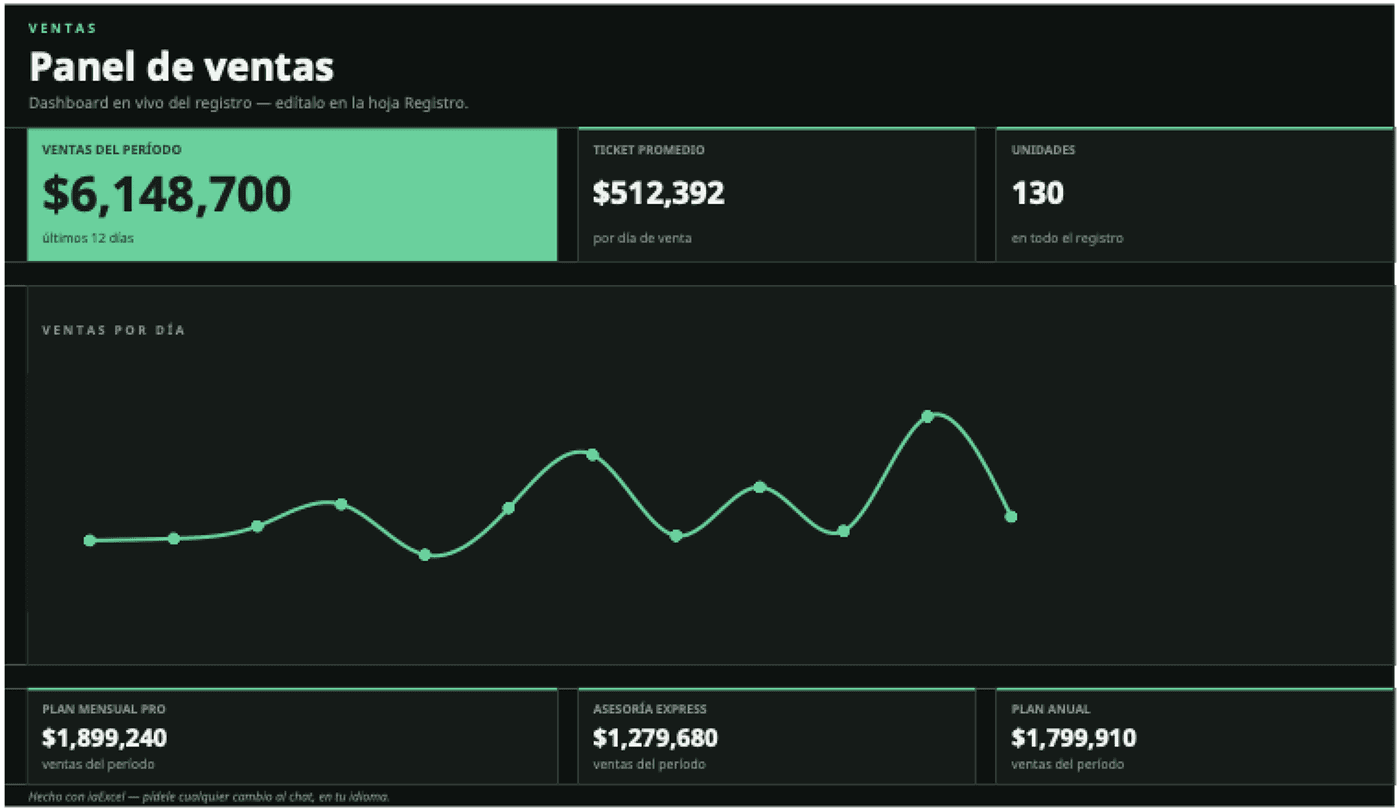
The analysis uses the visible rows to calculate sales, units, average ticket, and daily evolution, then can save the result as a dashboard.
“Analyze this daily register. Tell me total sales, average ticket, top-contributing products, and show the sales trend.”
Daily register and dashboard use the same 130 units and $6,148,700 total.
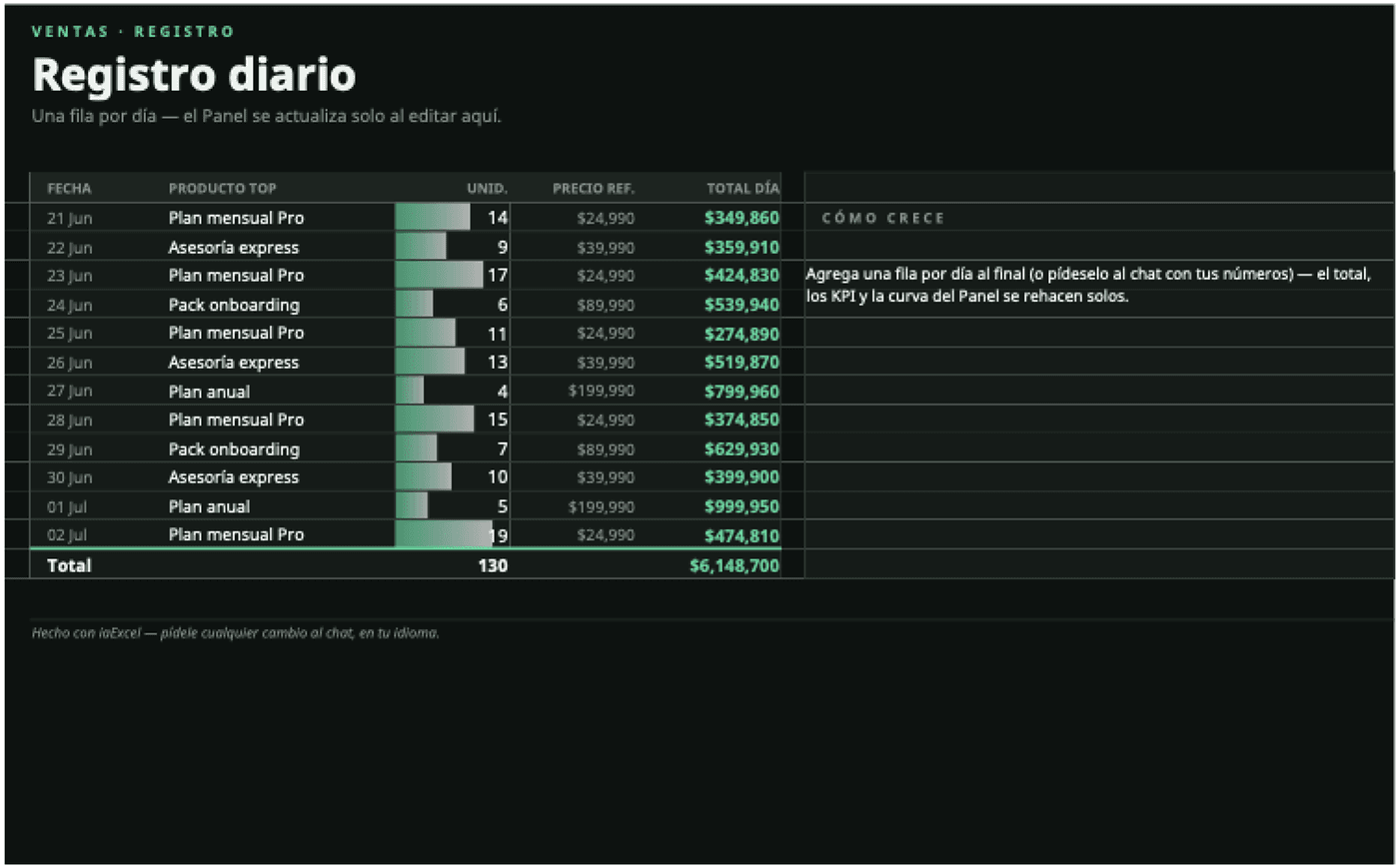
Analysis can relate dates, categories, and metrics distributed across different sheets.
Answers can include tables, intermediate figures, and charts, not just a text conclusion.
Ask to add the result back into the workbook as a downloadable summary or dashboard.
From a quick question to a complete workbook review.
Attach the Excel or CSV containing the information you want to understand.
Compare periods, find causes, calculate indicators, or detect outliers.
Keep asking with chat context or save the analysis into a new workbook version.
Ask for totals, comparisons, trends, rankings, explanations of changes, or any calculation that can be derived from the workbook data.
Yes. When needed, iaExcel can relate information from different sheets in the same workbook.
Yes. It can show charts in the conversation and save them into a new Excel version when requested.
Not always. iaExcel can detect headers and clean common issues, although orderly and complete data leads to more reliable conclusions.
Upload your file and start with one specific question about your business or workflow.
Analyze my Excel free