Preserve useful structure
iaExcel starts from your sheets, data, and formulas instead of replacing everything with a generic template.
EDIT EXCEL WITH AI
Upload your file and explain the change. iaExcel understands the existing sheets, protects the original, and creates a new version with your edits saved.
Protected original · Saved versions · .xlsx download
New version
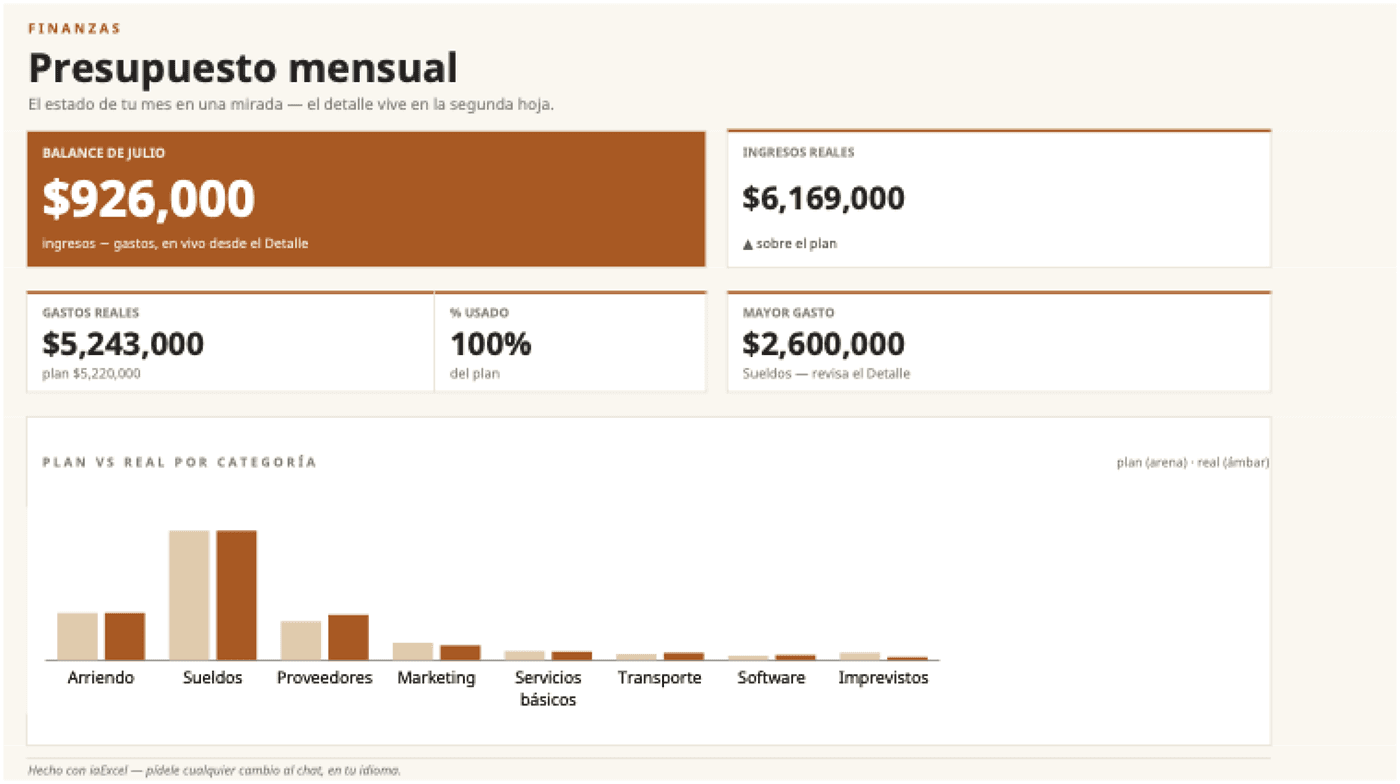
iaExcel preserves the editable sheet and adds a visual view connected to its data. The original and previous versions stay available.
“I have this budget detail sheet. Add a Summary sheet with KPIs and a plan-versus-actual chart without changing the detail.”
The Detail sheet stays editable; the new Summary sheet reads from it.
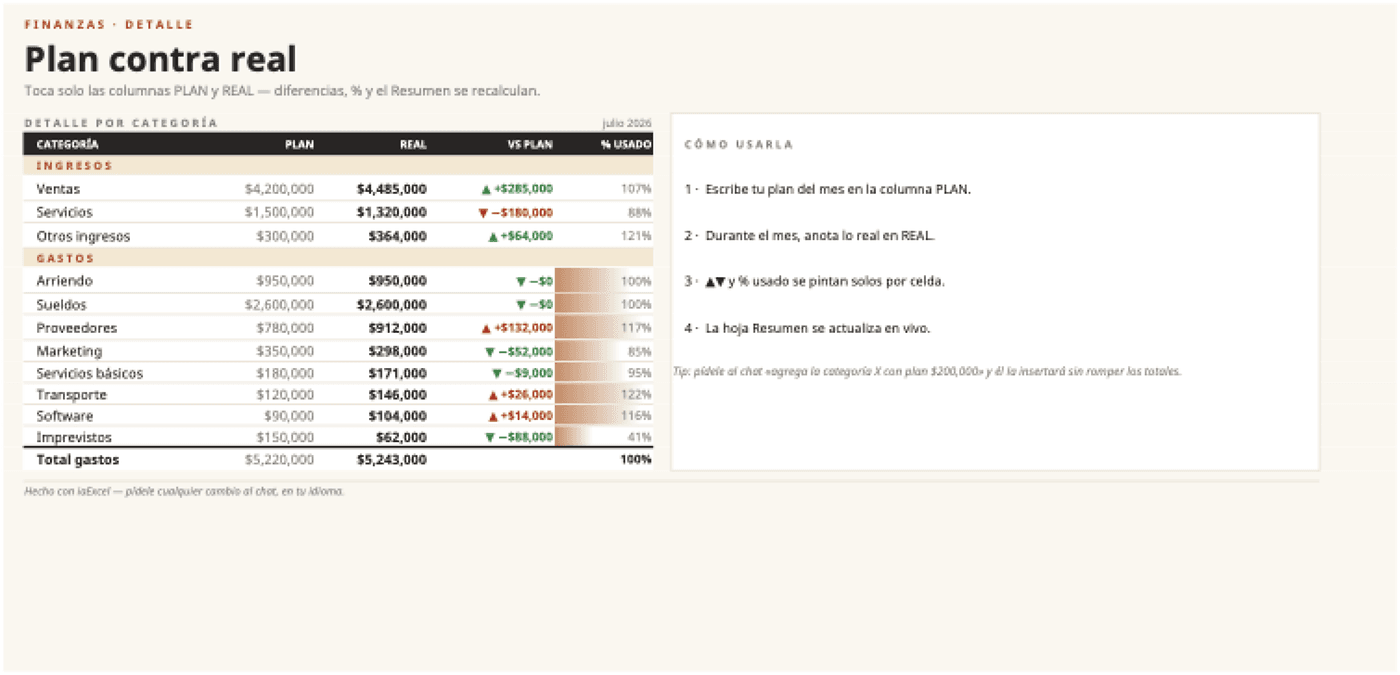
iaExcel starts from your sheets, data, and formulas instead of replacing everything with a generic template.
Clean data, repair calculations, and add columns, summaries, validations, or charts.
The original stays protected and every durable result remains available to review or download.
Request the outcome; you do not need to specify every cell.
Upload an .xlsx, .xls, or .csv with one or multiple sheets.
Describe what must stay and what you want to fix, add, or redesign.
Preview the result, download it, or ask for another improvement in the same chat.
No. The original remains protected and changes are stored as new downloadable versions.
Yes. iaExcel can review relationships across sheets and change only the parts needed for the request.
Yes. You can request a visual improvement while keeping data and formulas, or combine redesign with structural fixes.
Yes. Saved versions can be reviewed and downloaded from your workspace.
Upload your Excel, describe the change, and keep a protected version of the original.
Edit my Excel free