Excel template · People
Gradebook Excel template for teachers
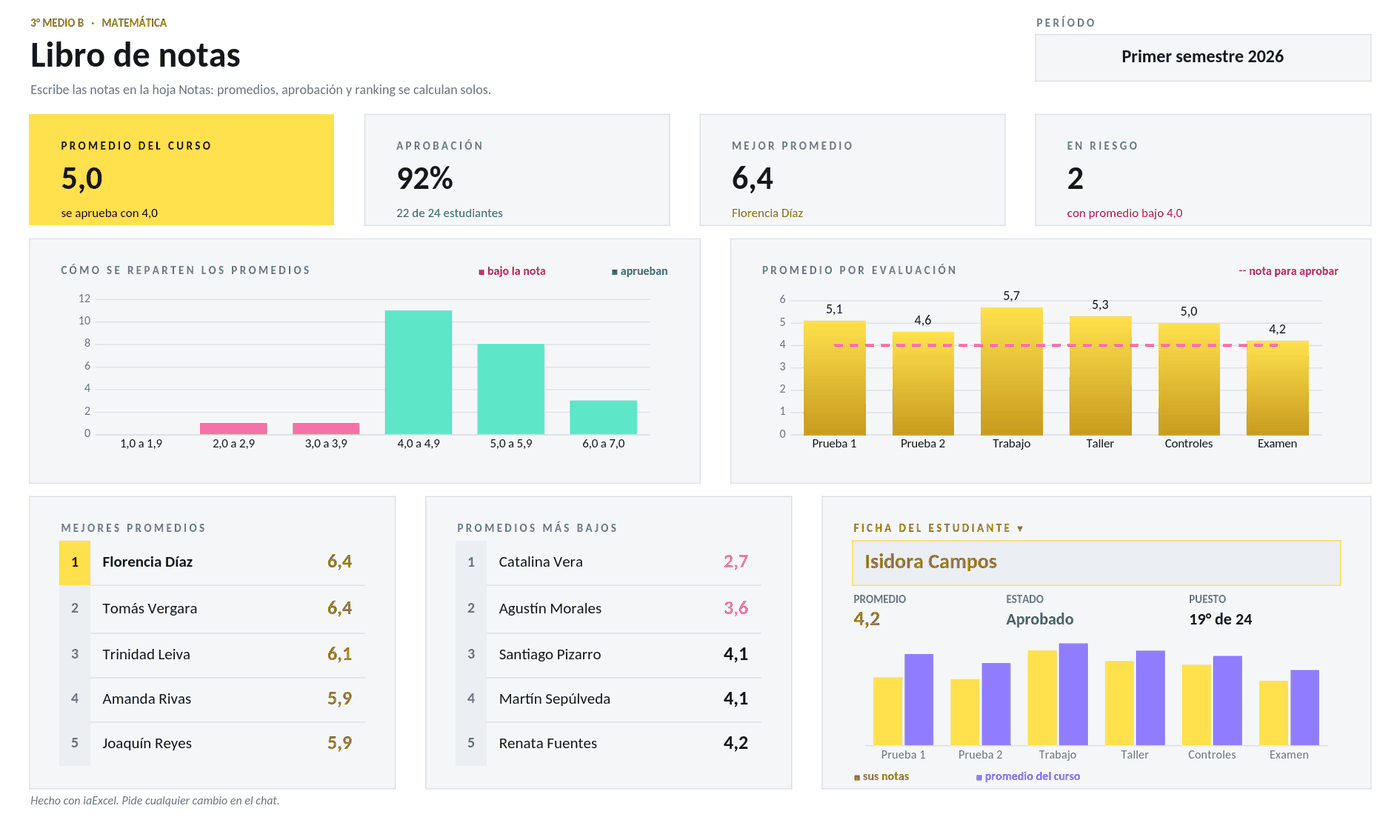
Type the grades and it works out the weighted average, pass rate and class ranking on its own, with a heat map and a profile for each student.
For teachers who keep a class's grades and want the averages and the summary without doing the math.
No card · Opening it uses no credits
What it solves
- Weighted average for each student from the weight of each assessment
- Pass rate and class ranking, with a heat map of the grades
- A profile for each student on the summary sheet
- File
- Libro de notas.xlsx
- Category
- People
- Sheet
- 3 sheets
What the file includes
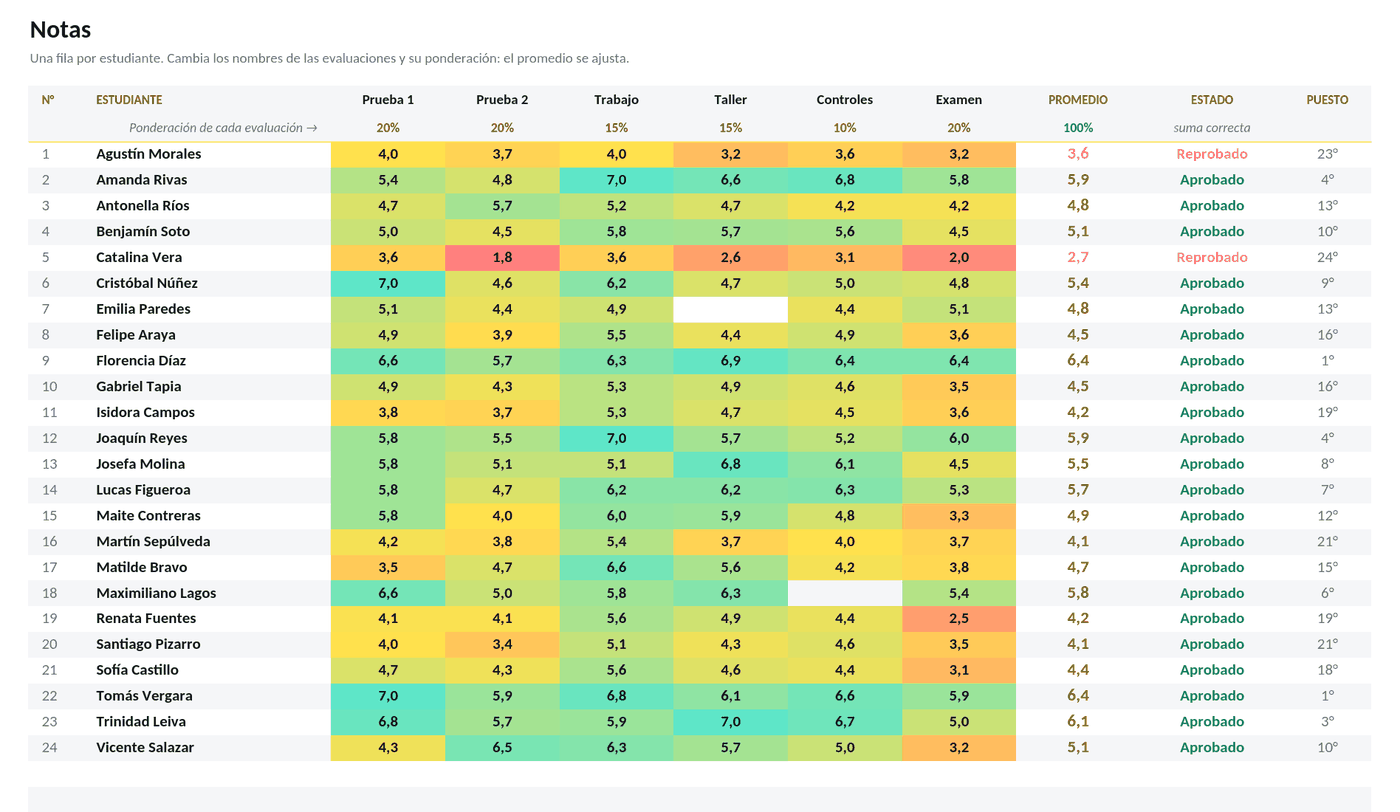
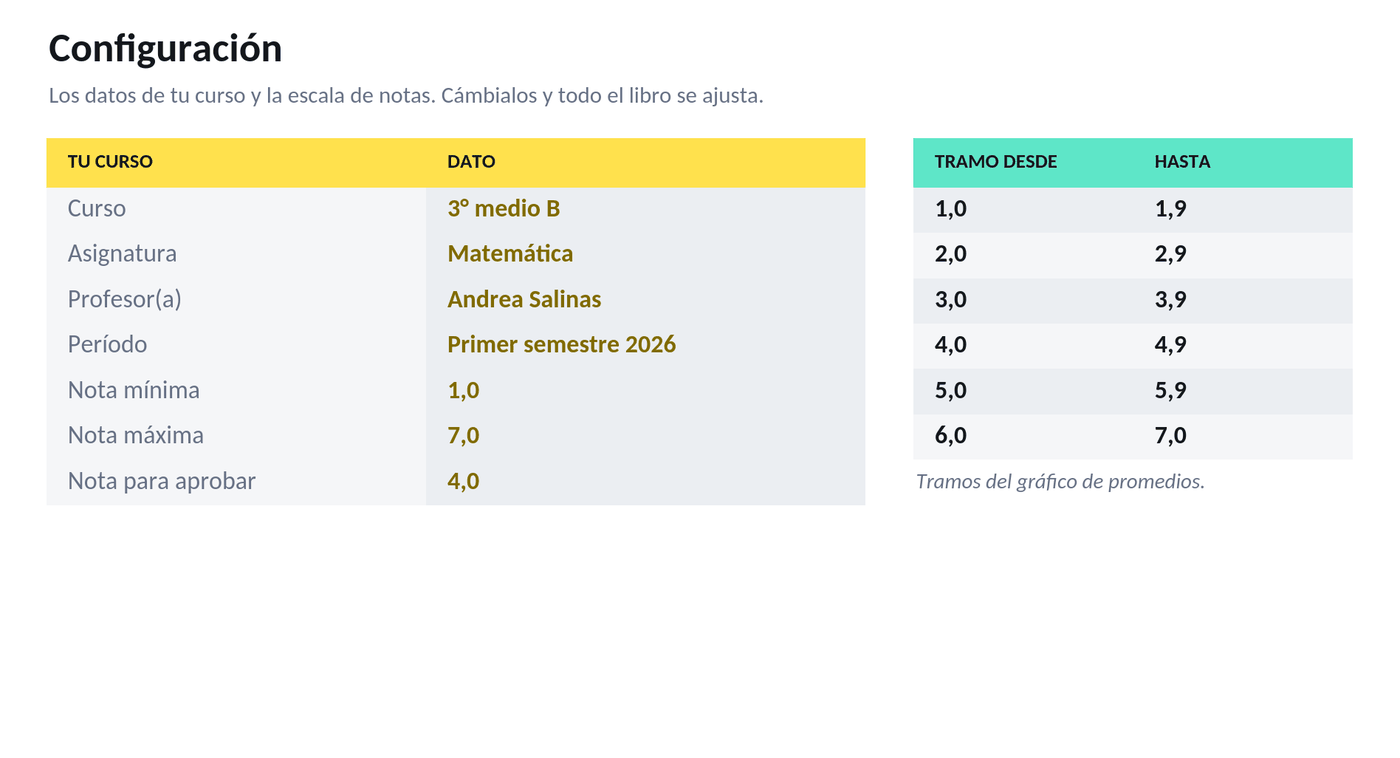
Real captures of its sheets: what you see is the file you get, with 3 sheets.
In two styles
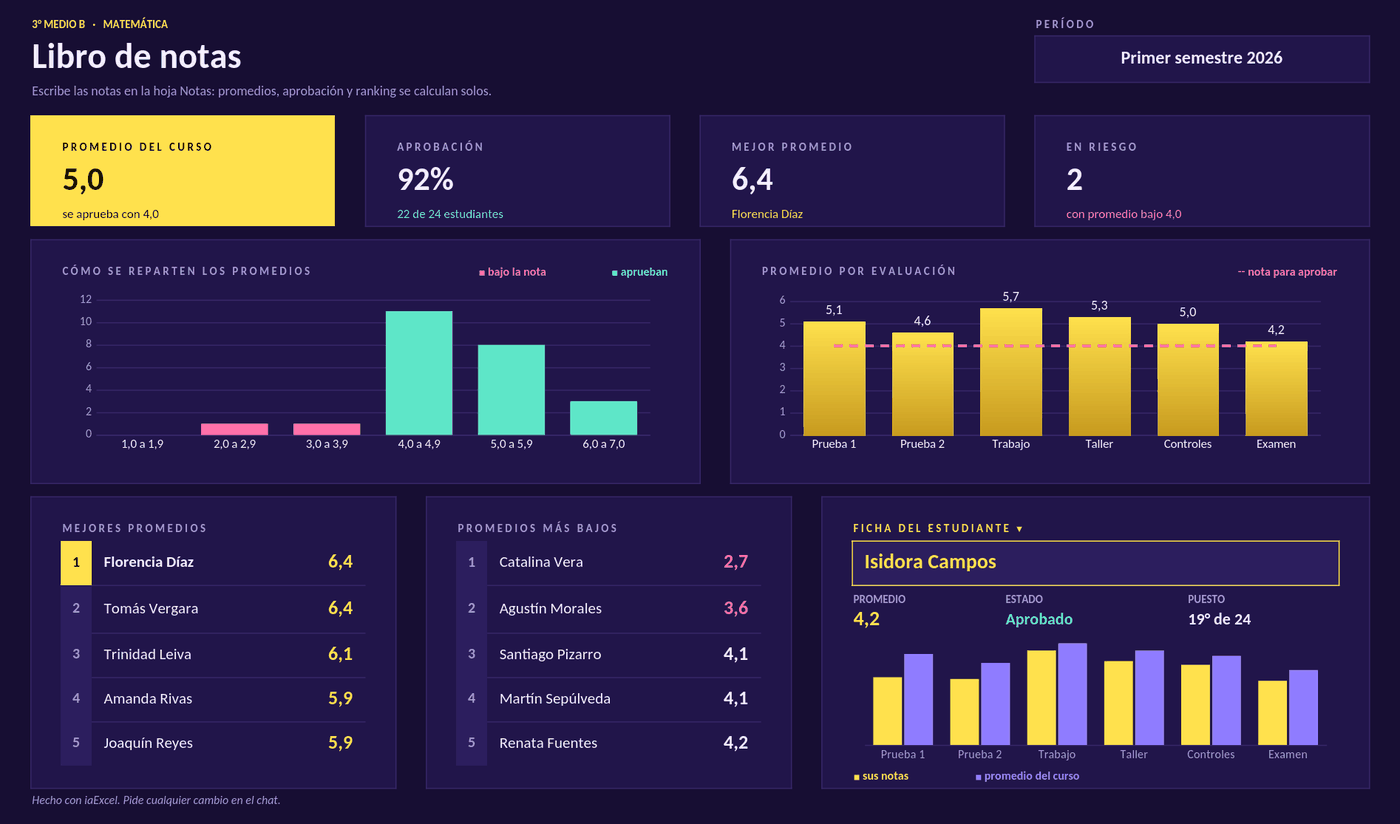
The same file, with the same formulas: in its own palette or on a white sheet.
How to use it
Use this template- 1
Open it in iaExcel
It opens as your own job, with all its sheets and formulas.
- 2
Adapt it to your case
Ask the AI to change categories, names or columns, or edit the cells yourself.
- 3
Download it in Excel
Take the file with you and keep working in Excel.
Frequently asked questions
Can I change the grading scale and the weights?
Yes. On the Notas sheet you change each assessment's name and weight, and on the Configuración sheet, the class details and the grading scale. The averages and summary recalculate.
Is it free?
Creating the account is free and opening the template uses no credits. The free plan includes two downloads per cycle; paid plans have unlimited downloads.
Can I adapt it to my business?
Yes. Open it in iaExcel and ask for the change in your own words (“adapt it to my hardware store”, “add a seller column”): the AI edits the file and keeps the formulas and the design. You can also edit it yourself in Excel.
Which program opens it?
It is an Excel file (.xlsx) with regular formulas, dropdowns and conditional formatting. It opens in Microsoft Excel and you can view and edit it in iaExcel without installing anything.
More Excel templates
See all templates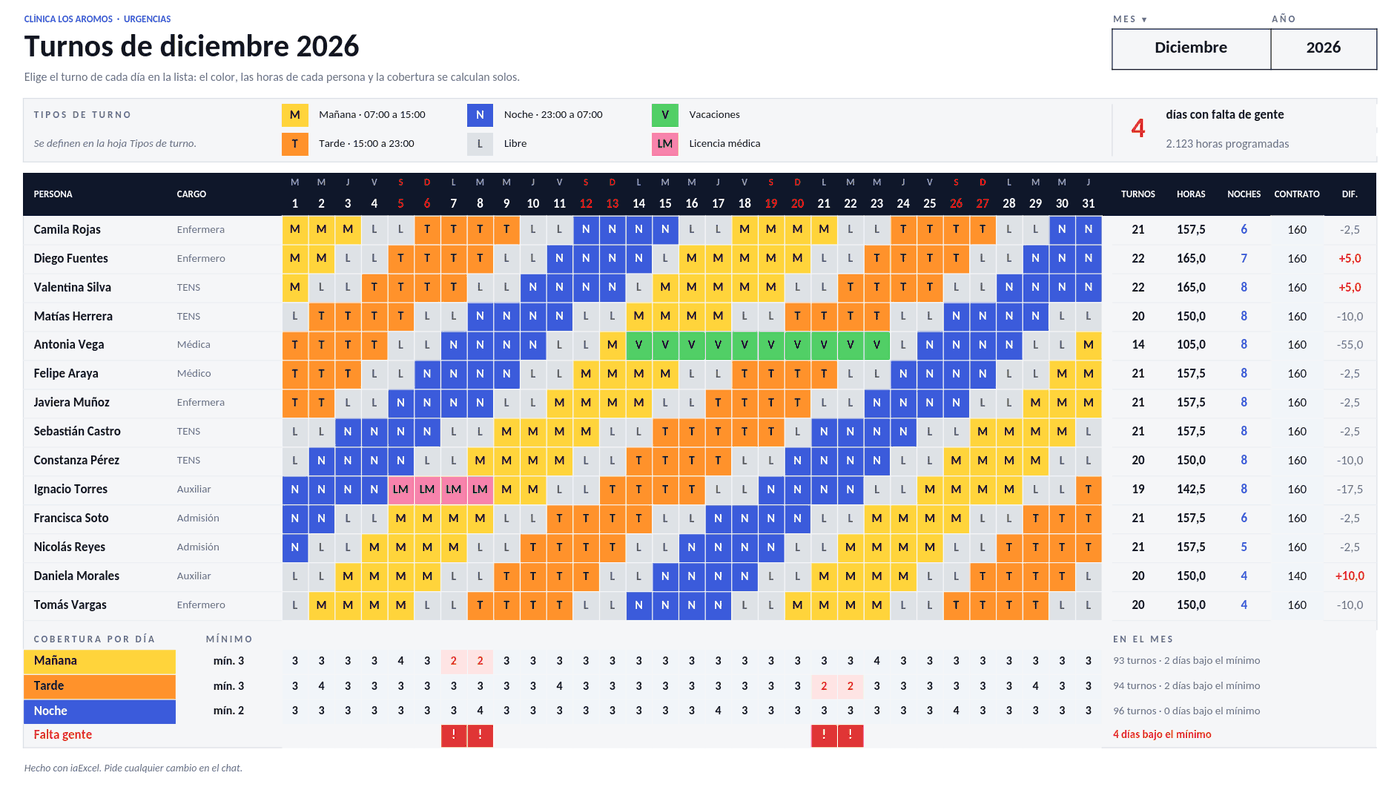 PeopleMonthly shift rosterPick the month and assign each person's shift day by day. It counts everyone's hours and nights, compares them with their contract and flags the days that are short-staffed.
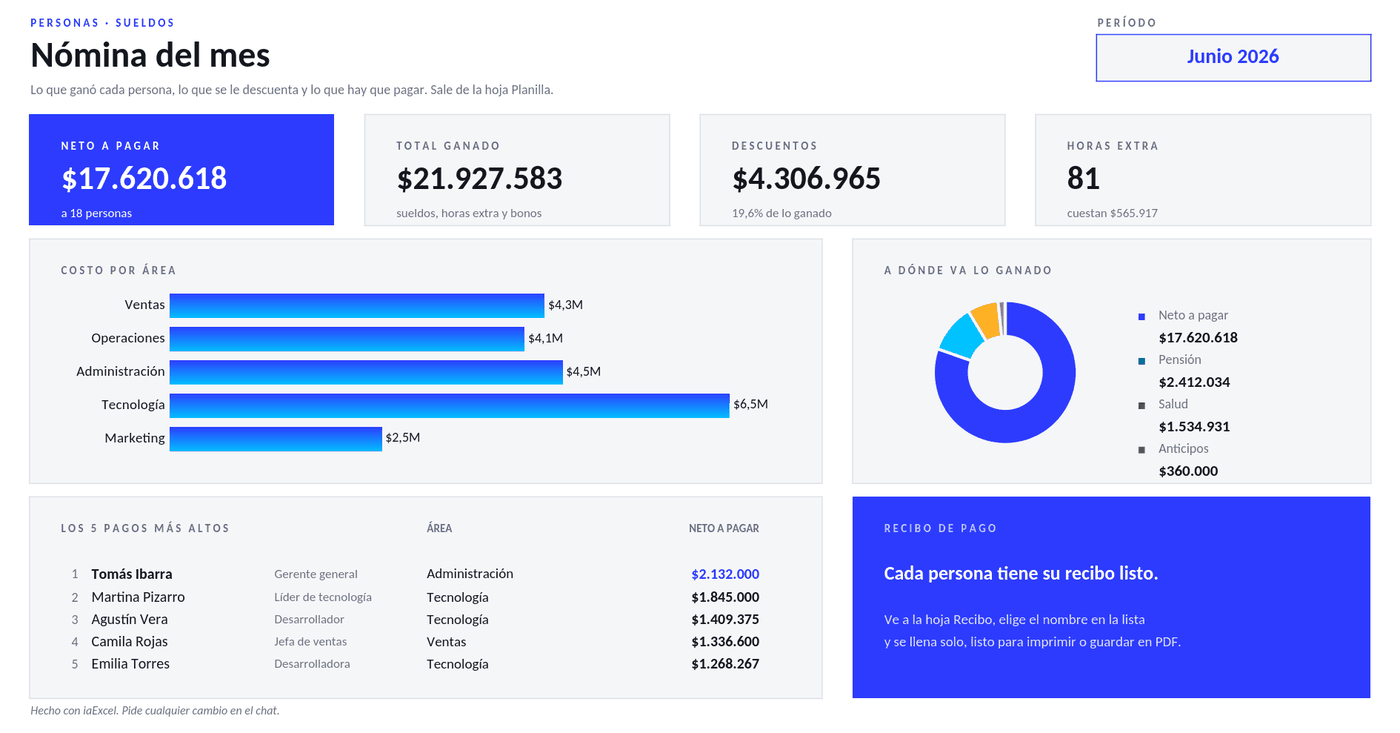 PeoplePayroll and pay slipsA payroll sheet that works out overtime, deductions and net pay for each person, with the cost by area and a printable pay slip that fills itself when you pick a name.
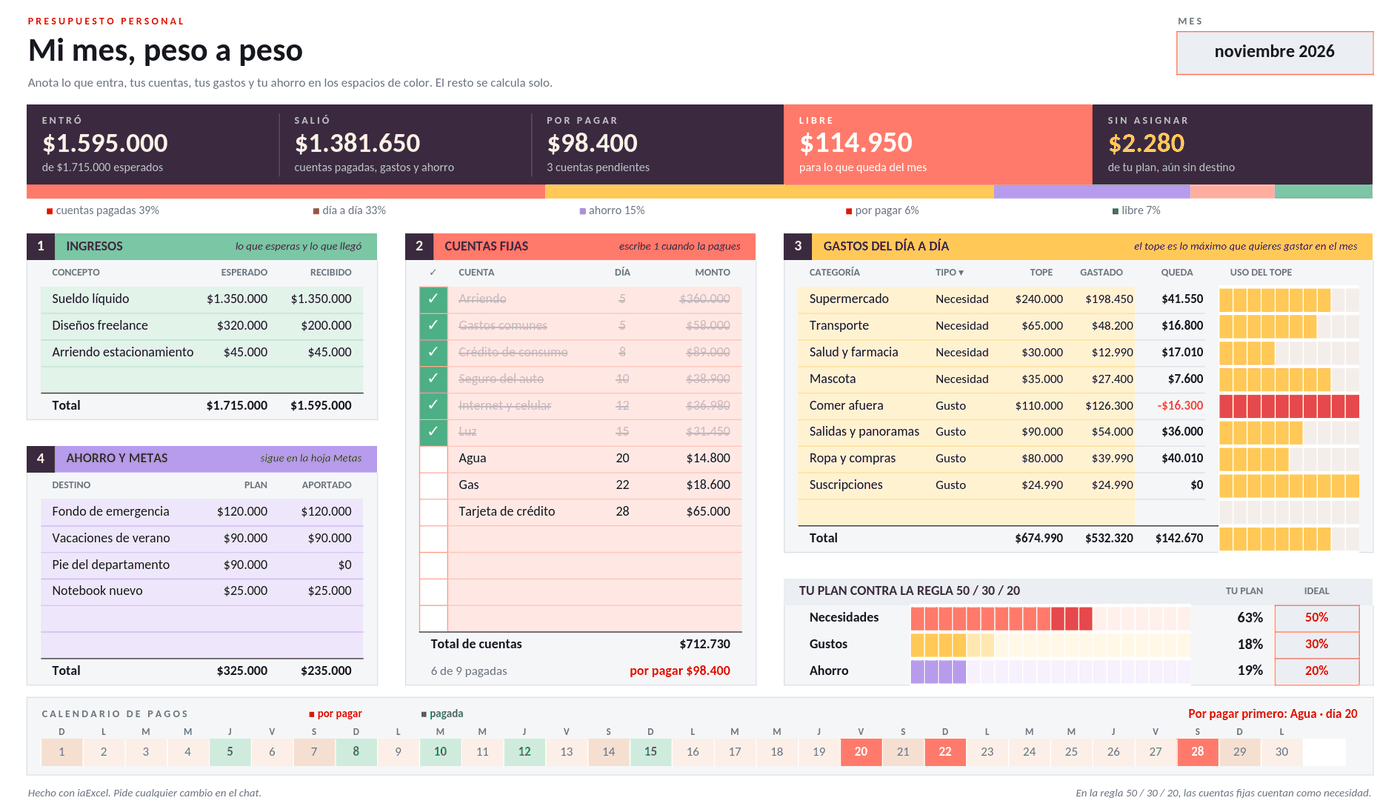 FinancePersonal budgetYour month on one page: income, fixed bills you tick off as paid, limits for day-to-day spending and savings. It tells you how much is free and how you are doing against the 50/30/20 rule.
Need a workbook that isn't here?
Describe it in your own words and iaExcel builds it from scratch, with formulas and design.
Create my Excel with AI