Excel templates
Free Excel templates, ready to use
Eighteen workbooks built with live formulas, dropdowns, conditional formatting and charts that recalculate. Open the one you need and adapt it to your case with AI.
Sales
A dashboard to see how much you sell and a quote ready to close the next deal.
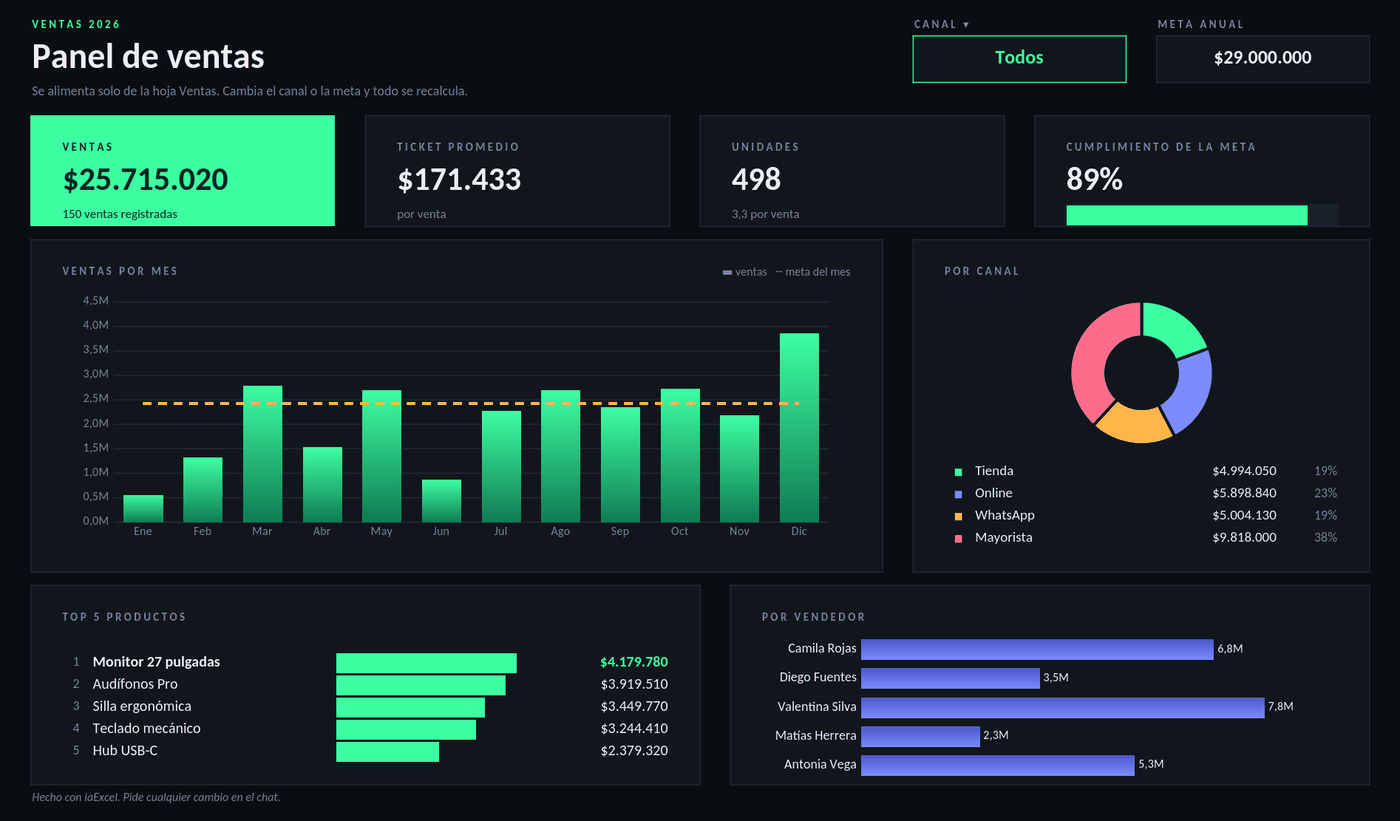 SalesSales dashboardA dark dashboard that builds itself from your sales log: total, average ticket, progress against the goal, sales by month and by channel, and the ranking of products and sellers. Filter by channel with a dropdown.
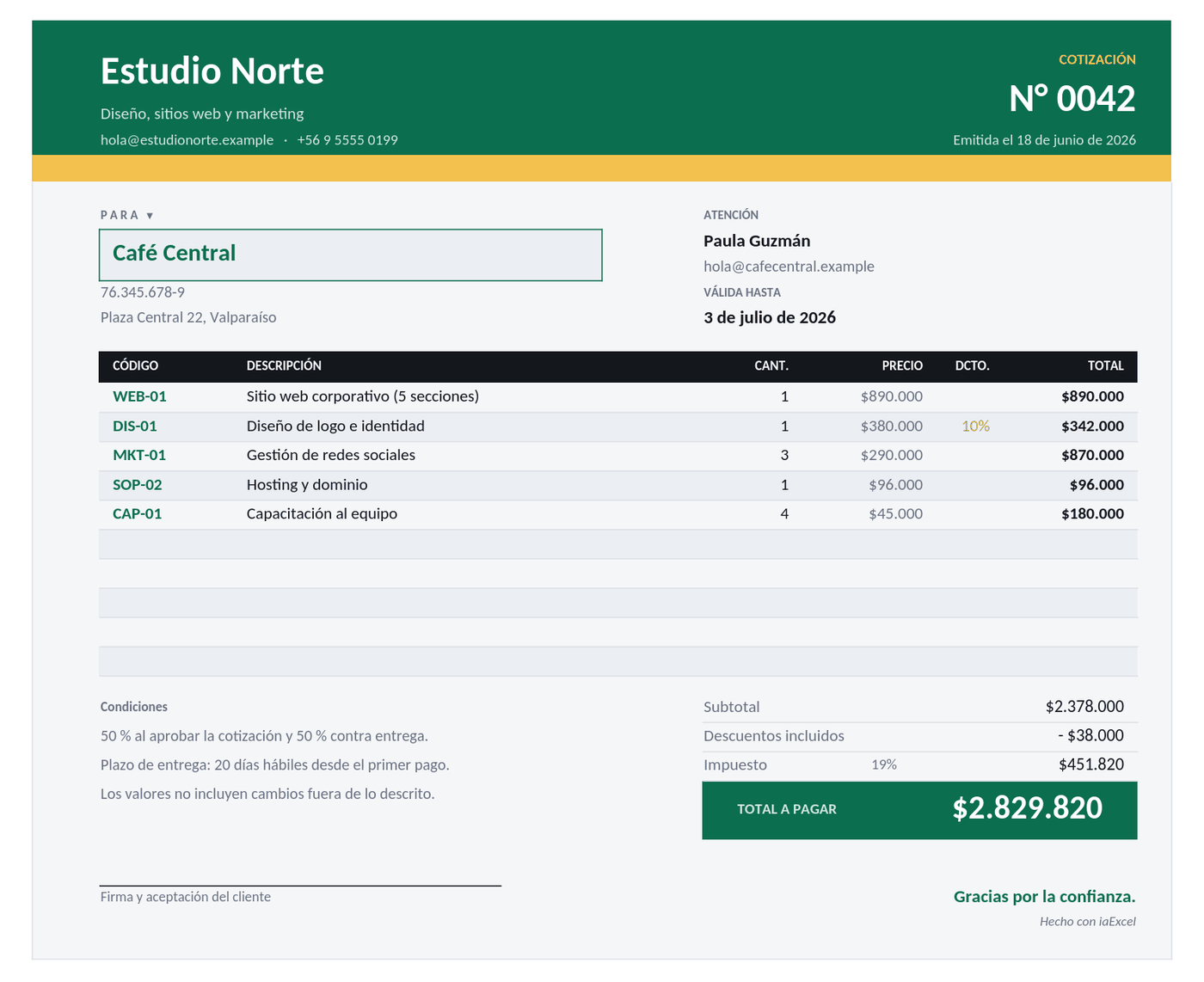 SalesQuoteA document ready to send: pick the customer and the codes from your catalog, and the description, prices, discount, tax and total fill themselves in.
Finance
Expenses, cash flow, a personal budget and loans: where the money goes, whether the cash lasts and what a debt really costs.
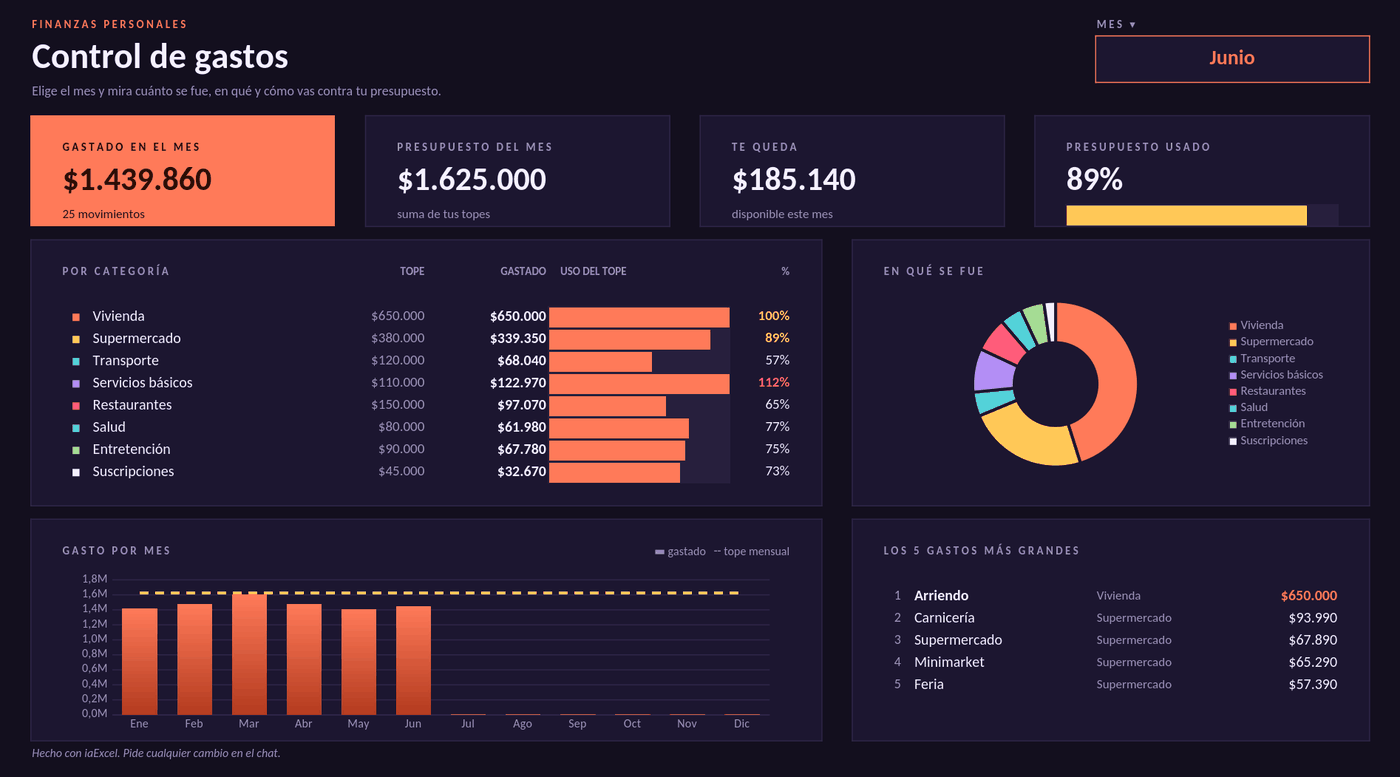 FinanceExpense trackerPick the month and see how much you spent, in which categories and how you are doing against your budget. The bars change color when you get close to the limit or go over it.
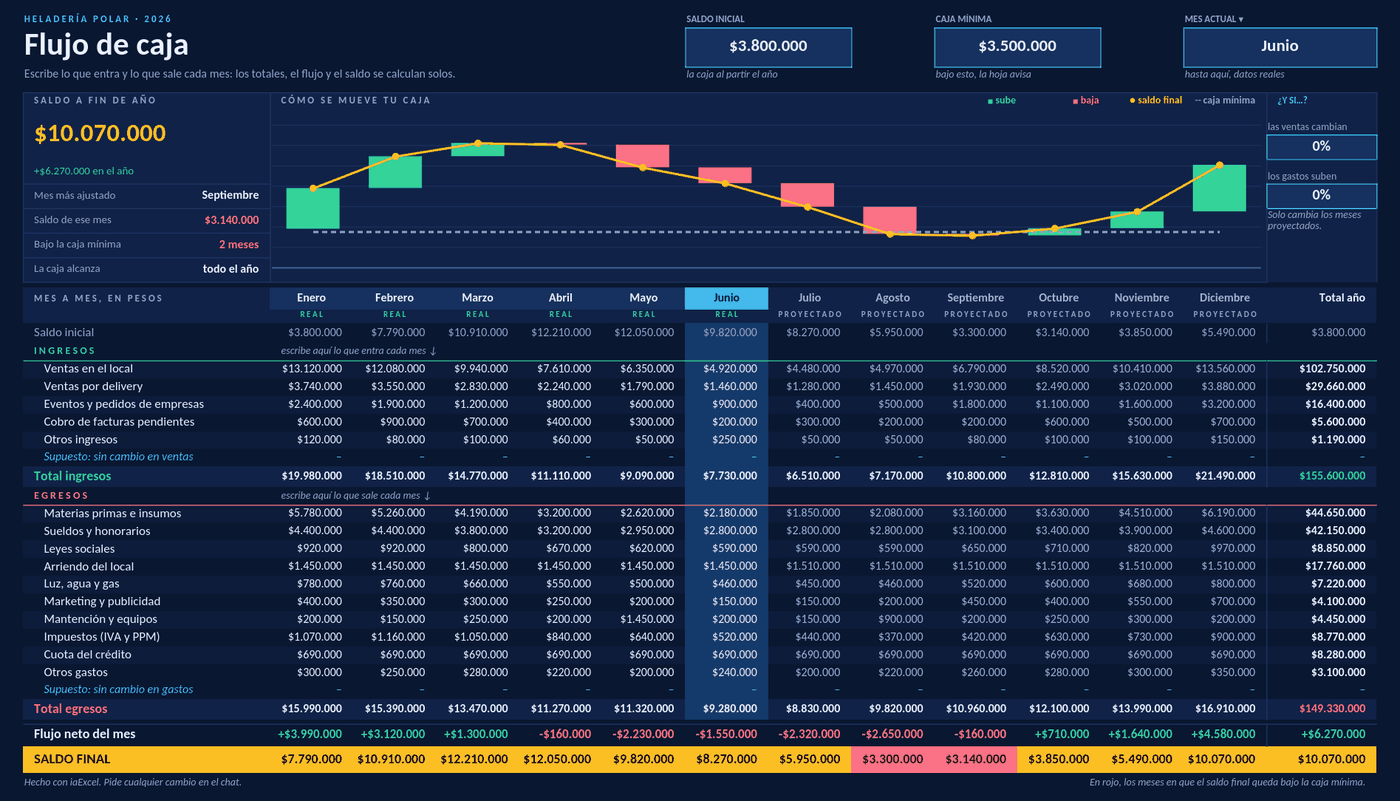 FinanceCash flowTwelve months on one sheet: enter income and expenses and it works out the net flow and the balance for each month. It flags the months below your minimum cash and tests what happens if sales drop.
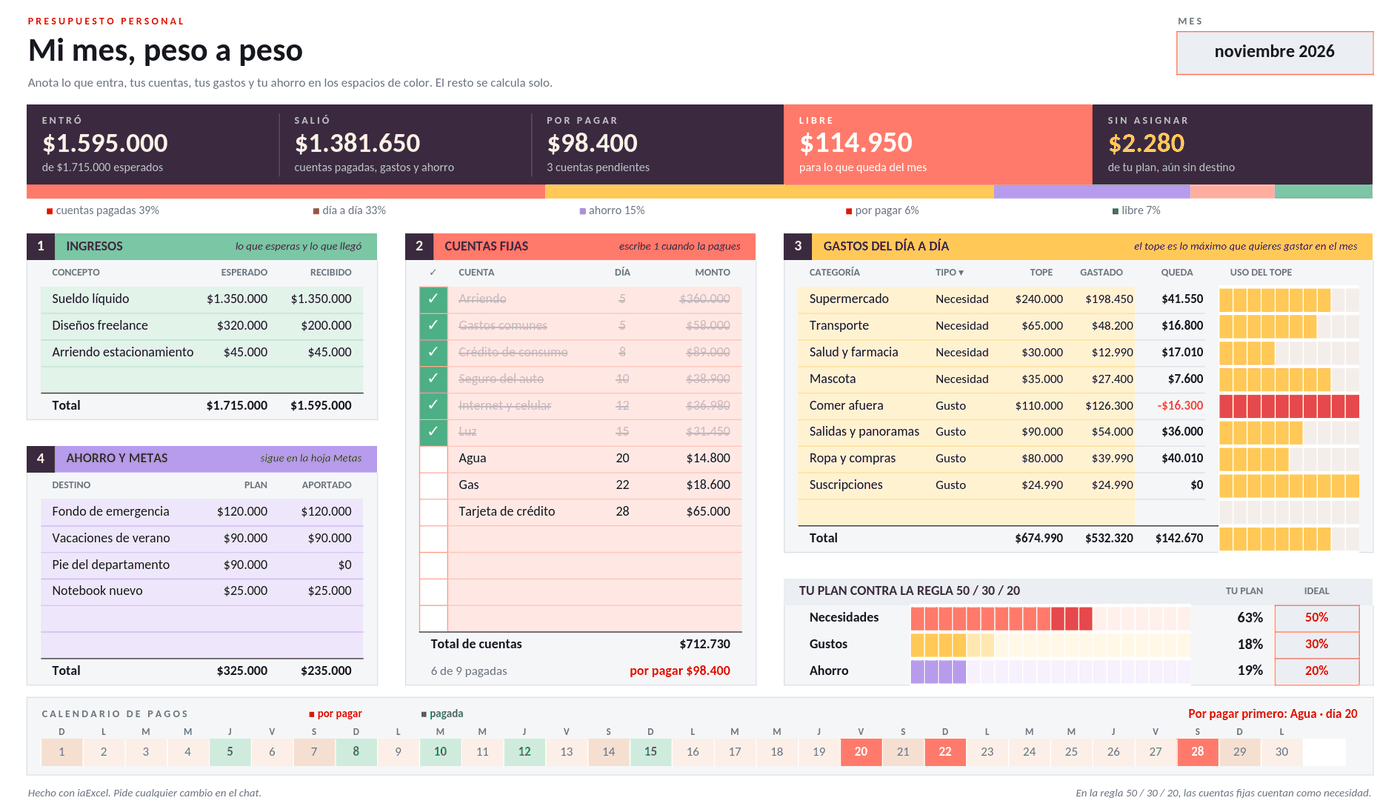 FinancePersonal budgetYour month on one page: income, fixed bills you tick off as paid, limits for day-to-day spending and savings. It tells you how much is free and how you are doing against the 50/30/20 rule.
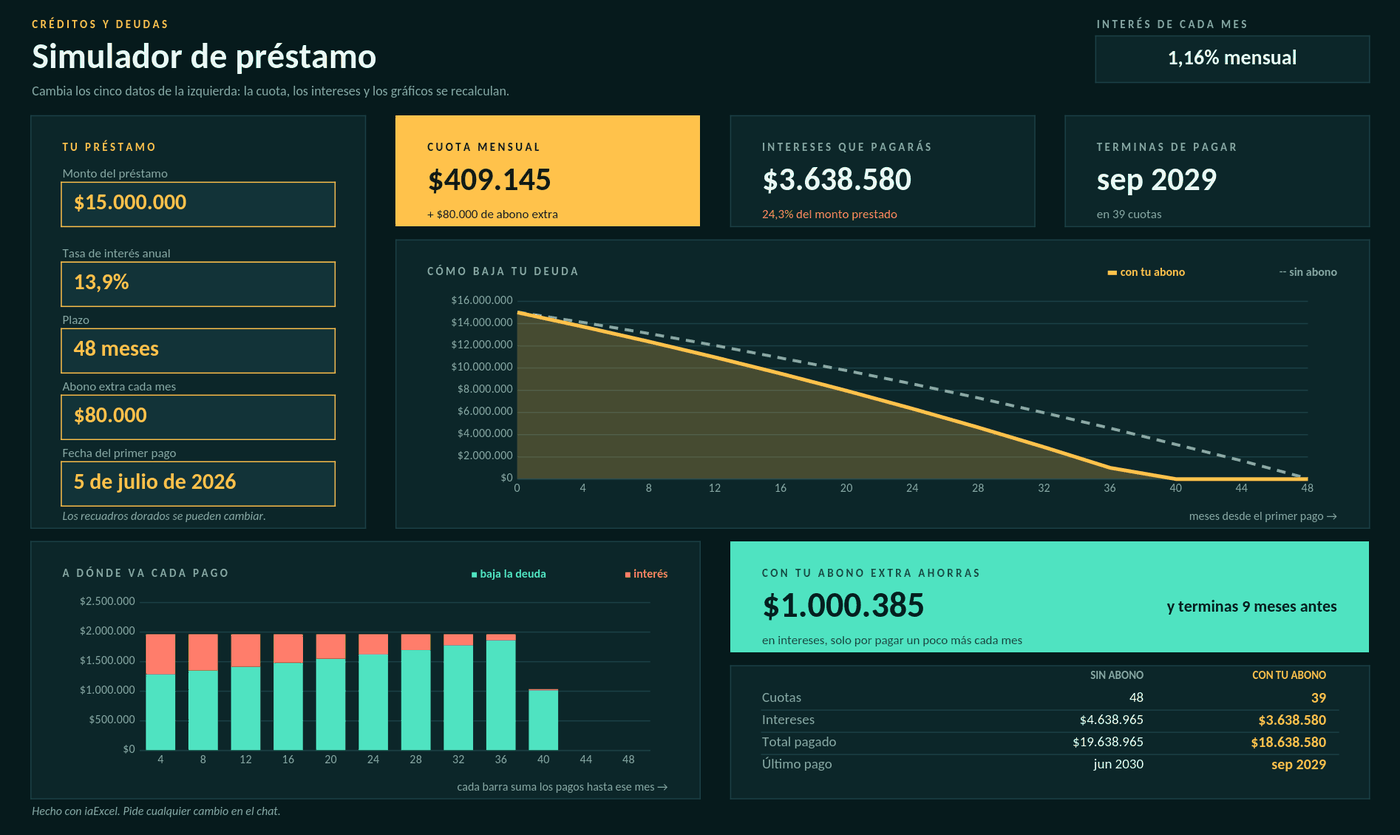 FinanceLoan simulatorChange the amount, rate, term and extra payment, and it works out the installment, the interest, when you finish paying and how much you save by paying extra, with the full payment schedule.
Operations
Inventory and costs up to date: what to restock, how much to order and what to charge.
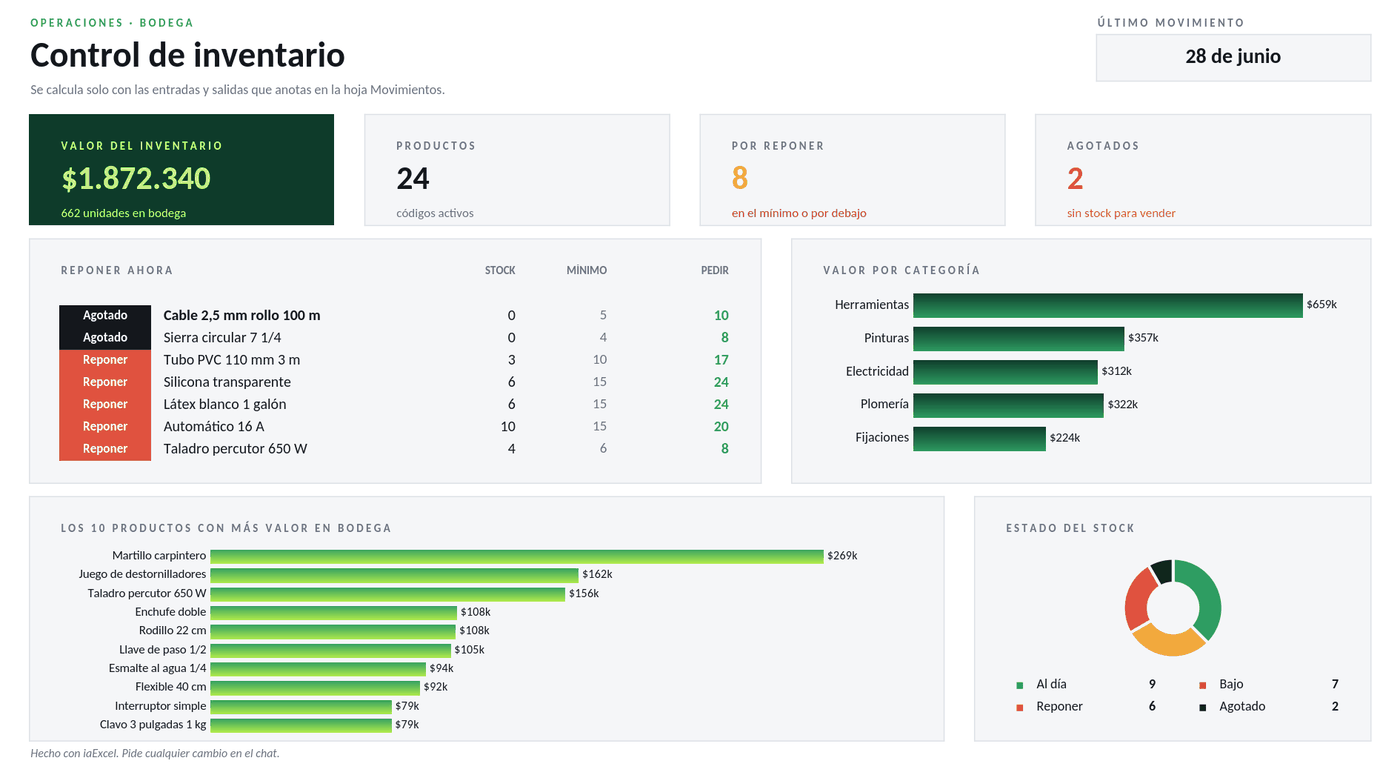 OperationsInventory controlThree connected sheets: stock updates with every entry and exit, and the dashboard tells you what to restock now, how much to order and what your stock is worth.
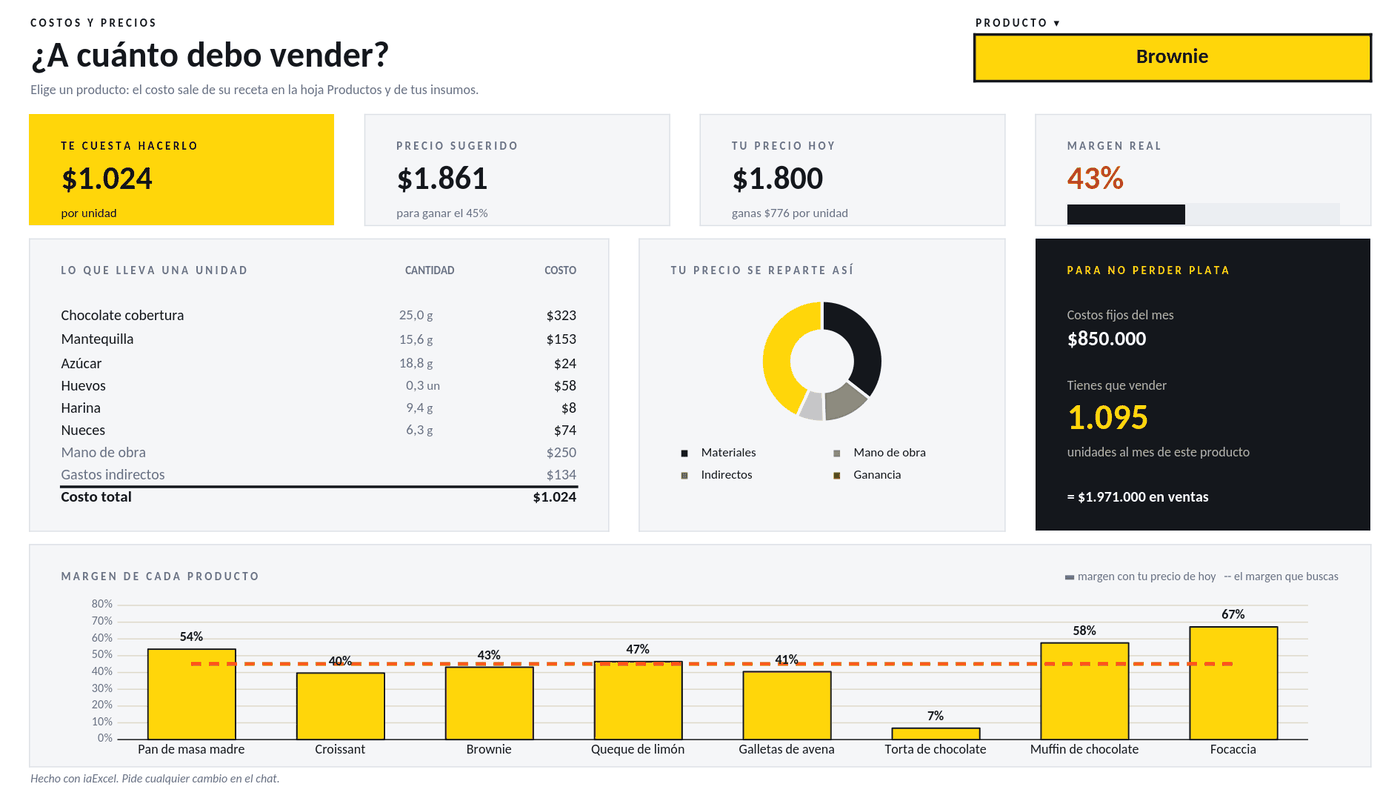 OperationsCosts and selling priceWorks out what each product costs you from its supplies, labor and overhead, and tells you what to charge, your real margin and how many units you need to sell to break even.
People
Payroll, shifts and grades: what each person is paid, who works each day and how each student is doing.
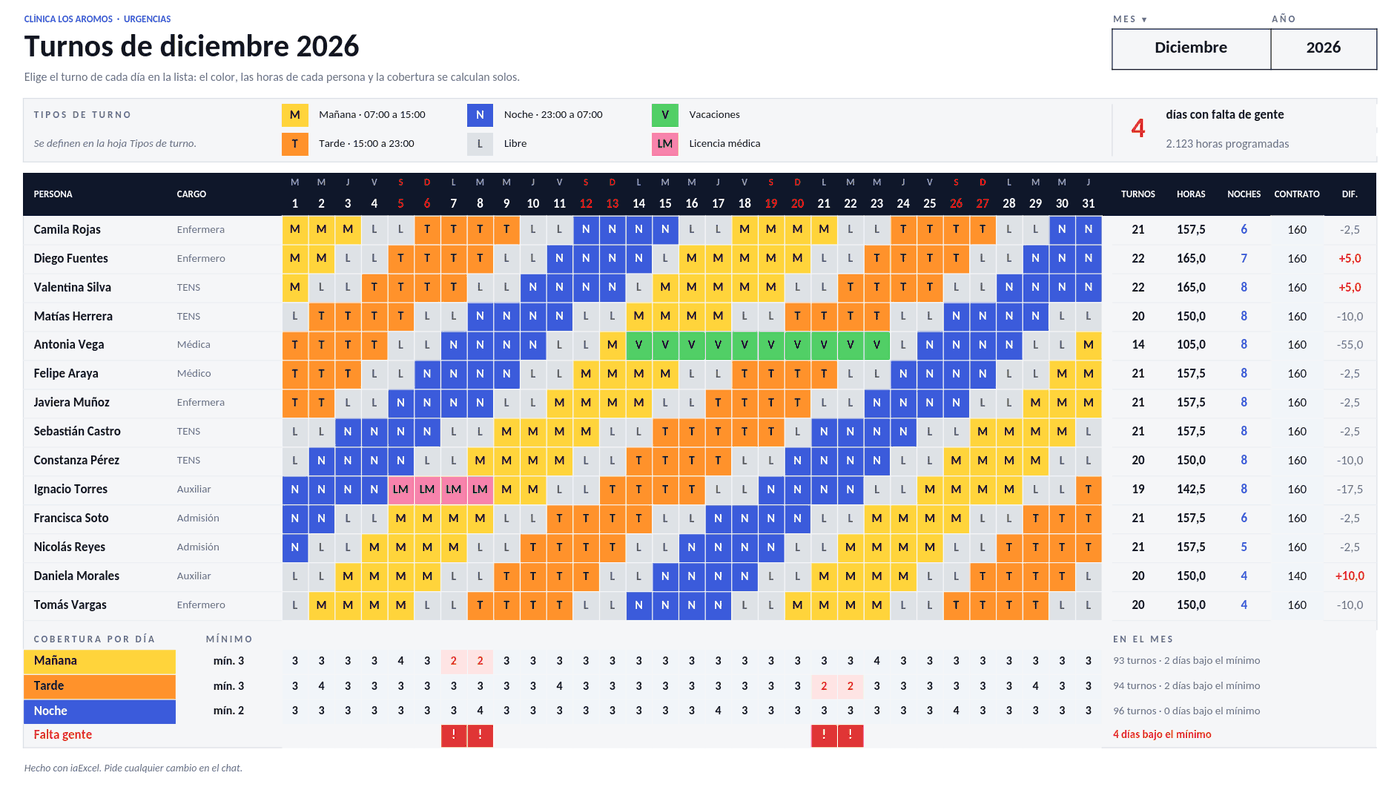 PeopleMonthly shift rosterPick the month and assign each person's shift day by day. It counts everyone's hours and nights, compares them with their contract and flags the days that are short-staffed.
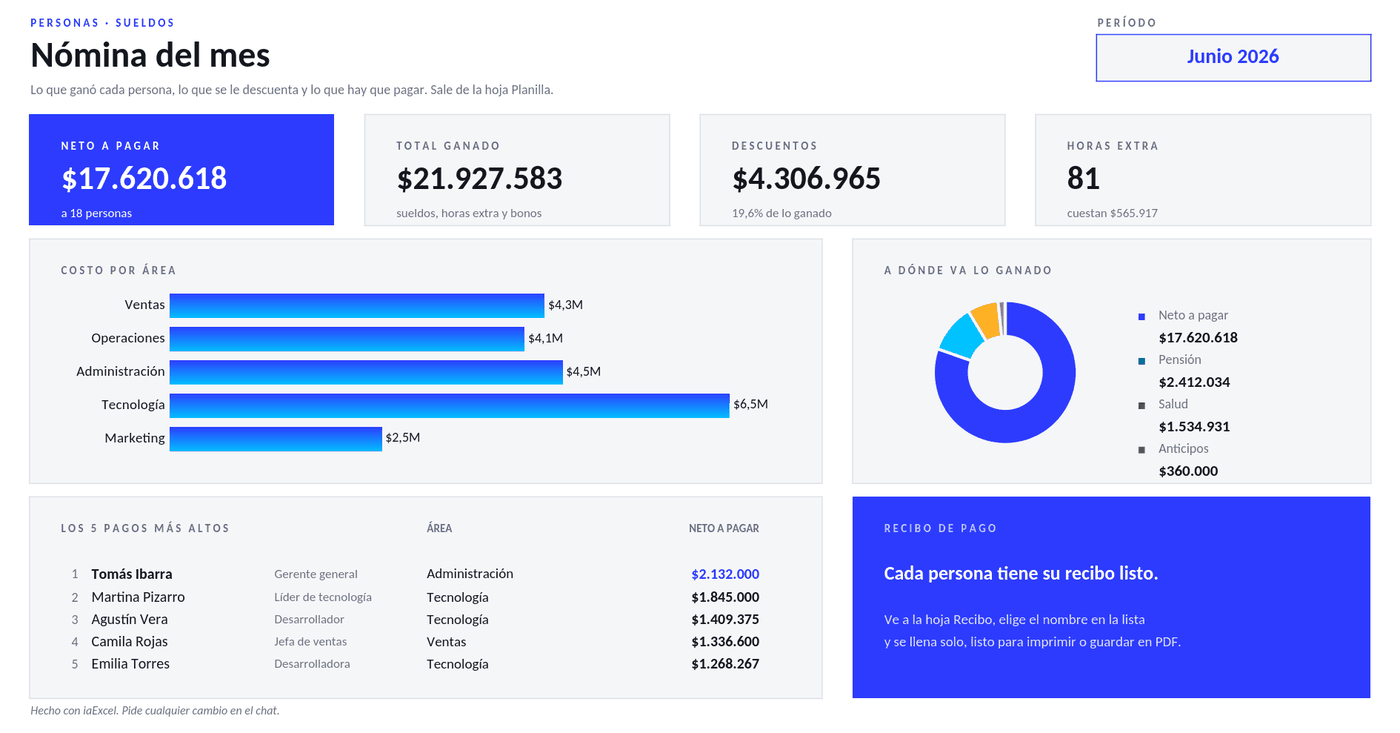 PeoplePayroll and pay slipsA payroll sheet that works out overtime, deductions and net pay for each person, with the cost by area and a printable pay slip that fills itself when you pick a name.
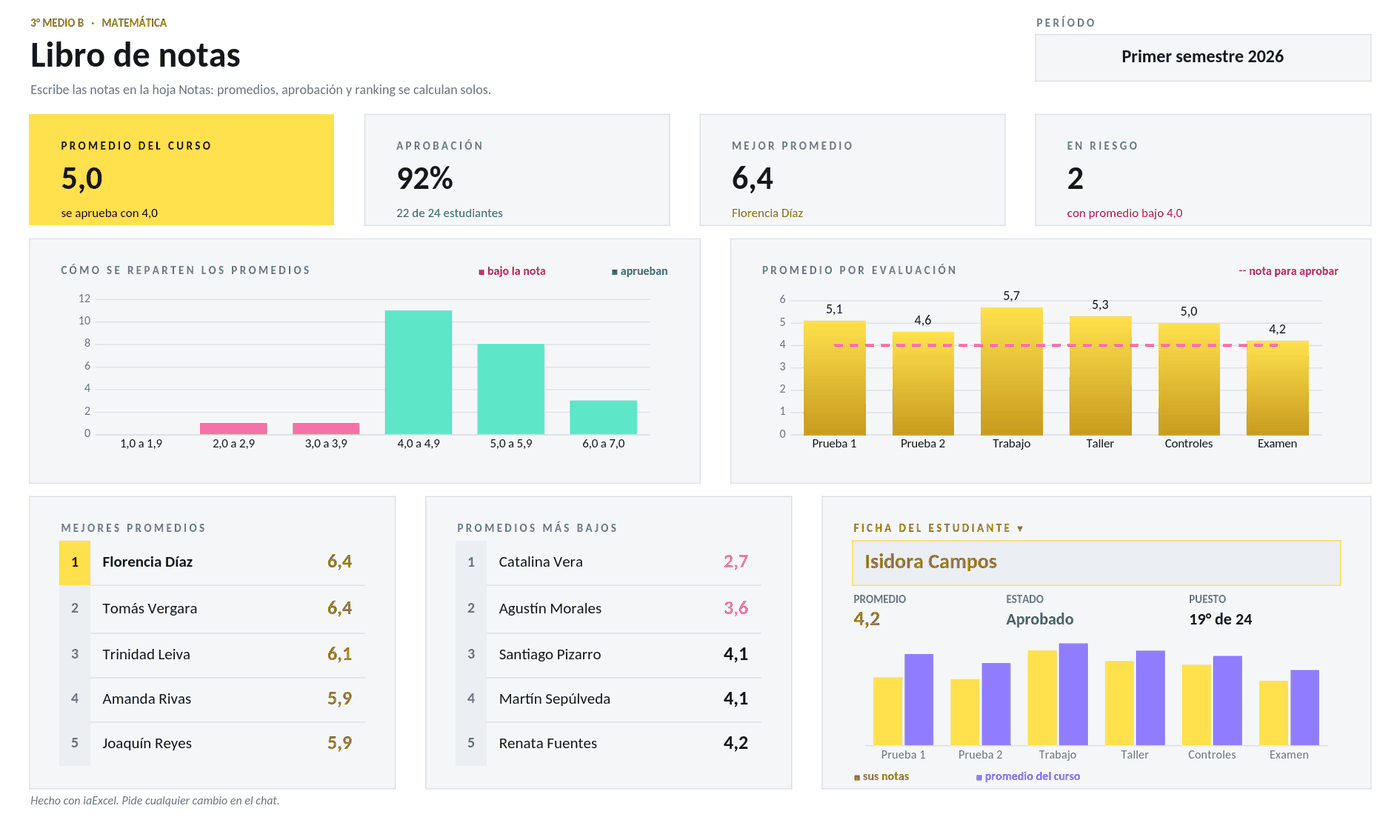 PeopleGradebookType the grades and it works out the weighted average, pass rate and class ranking on its own, with a heat map and a profile for each student.
Projects
Gantt chart and task board: what has to be done, who does it, by when and what is running late.
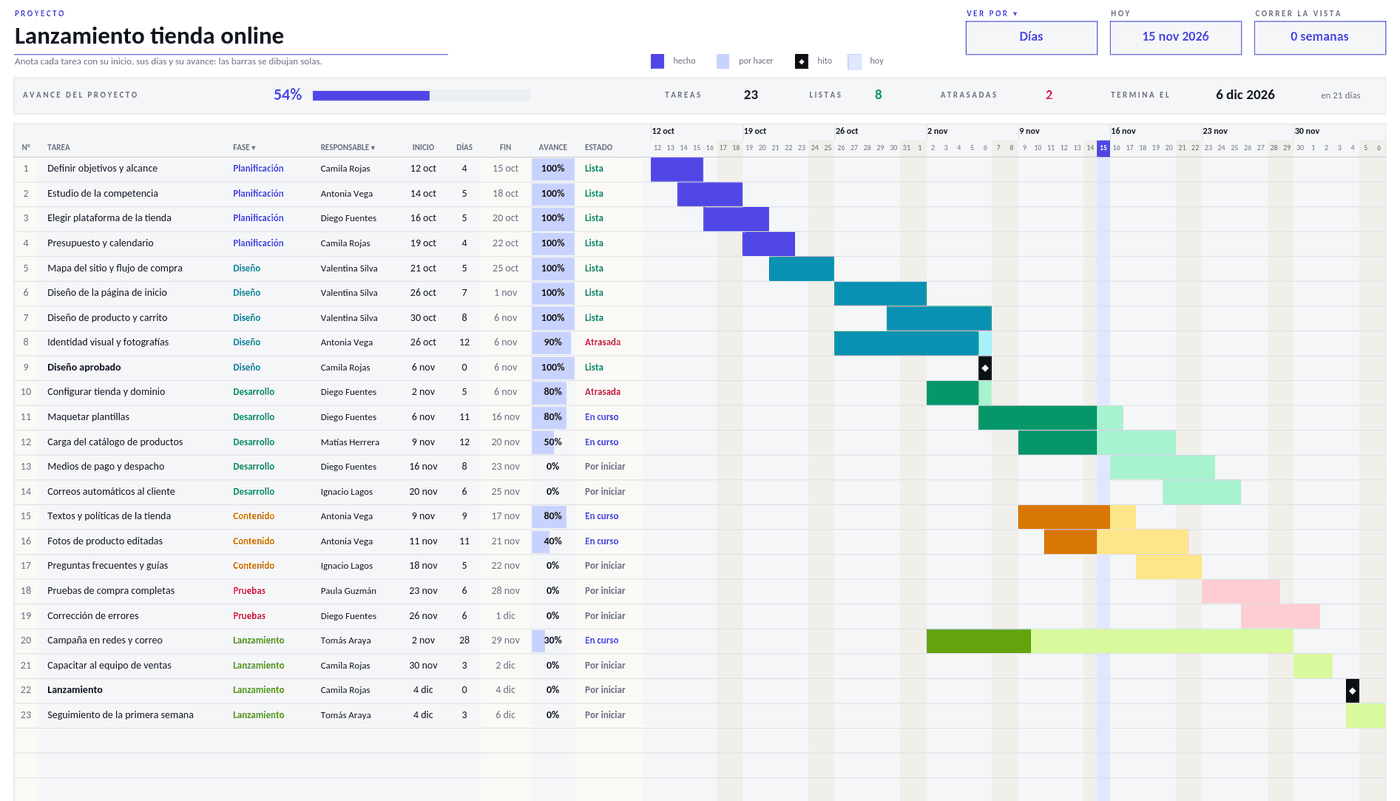 ProjectsGantt chartList each task with its start, days and progress, and the timeline draws itself: bars by phase, milestones, today's line and what is running late. View it by days or by weeks.
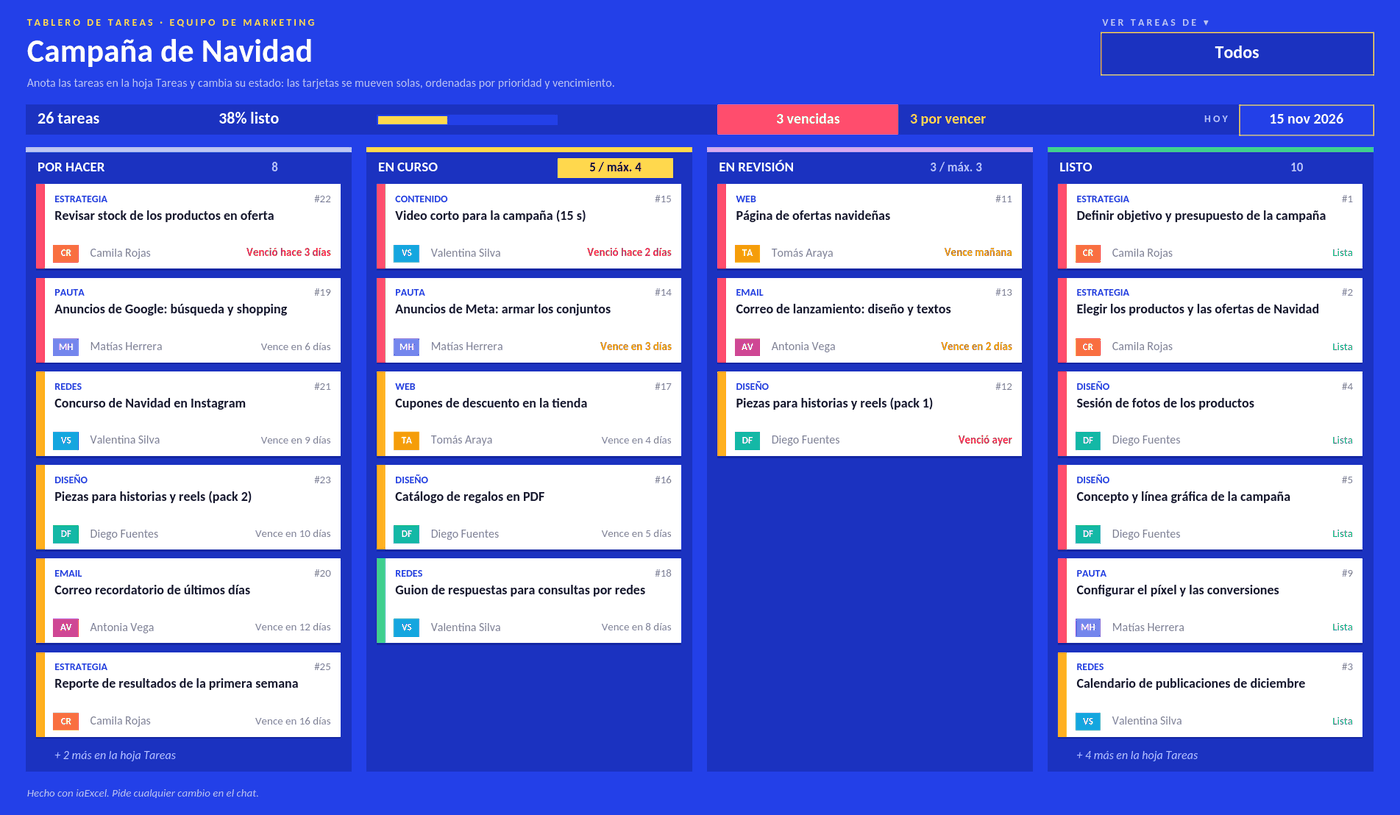 ProjectsTask boardA kanban board made with formulas: you list the tasks and they show up as cards in their column, sorted by priority and due date. Filter by person and see what is overdue.
Planning
Schedule, calendar and habits: your week, your month and what you want to get done every day.
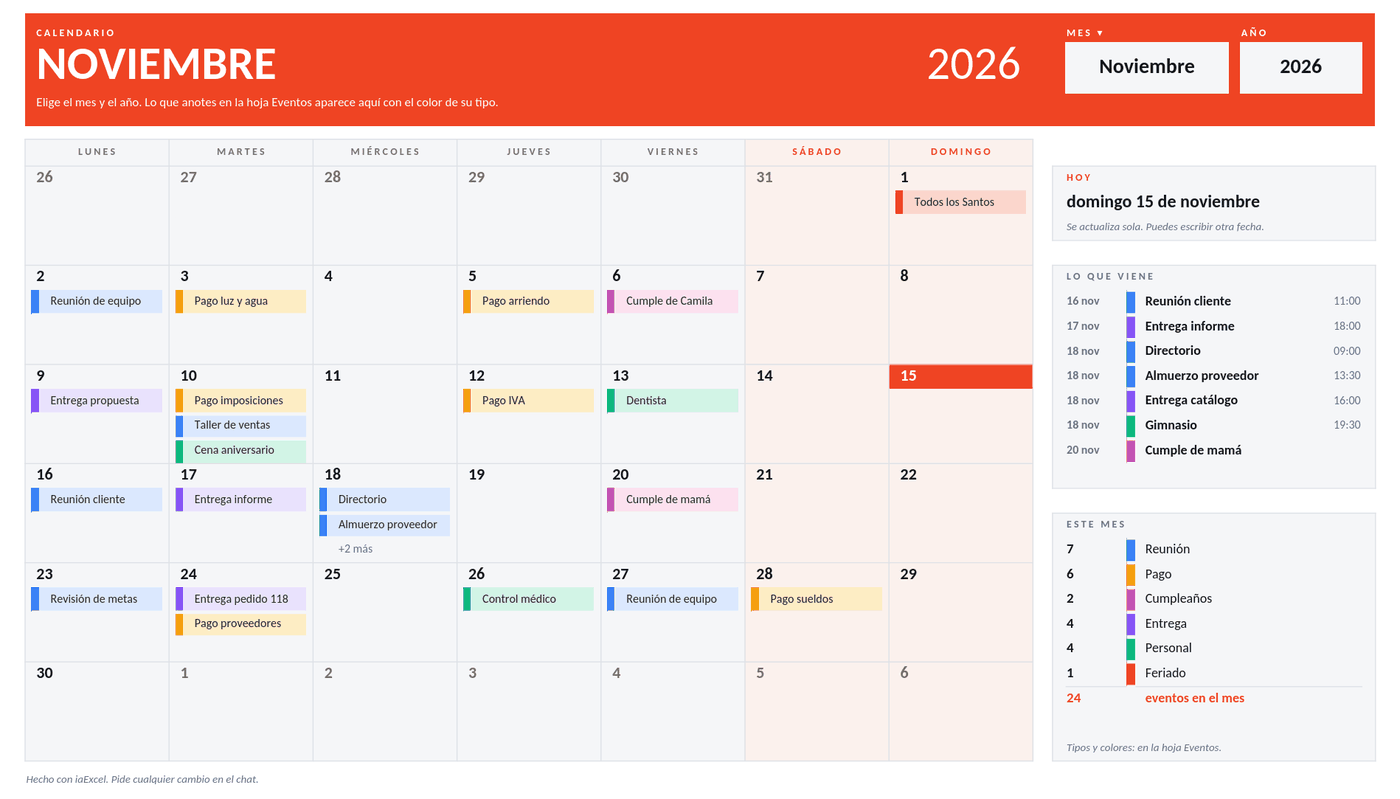 PlanningCalendarPick the month and year and the calendar builds itself. You list your events and they show up on their day in the color of their type, next to what is coming up and a full-year view.
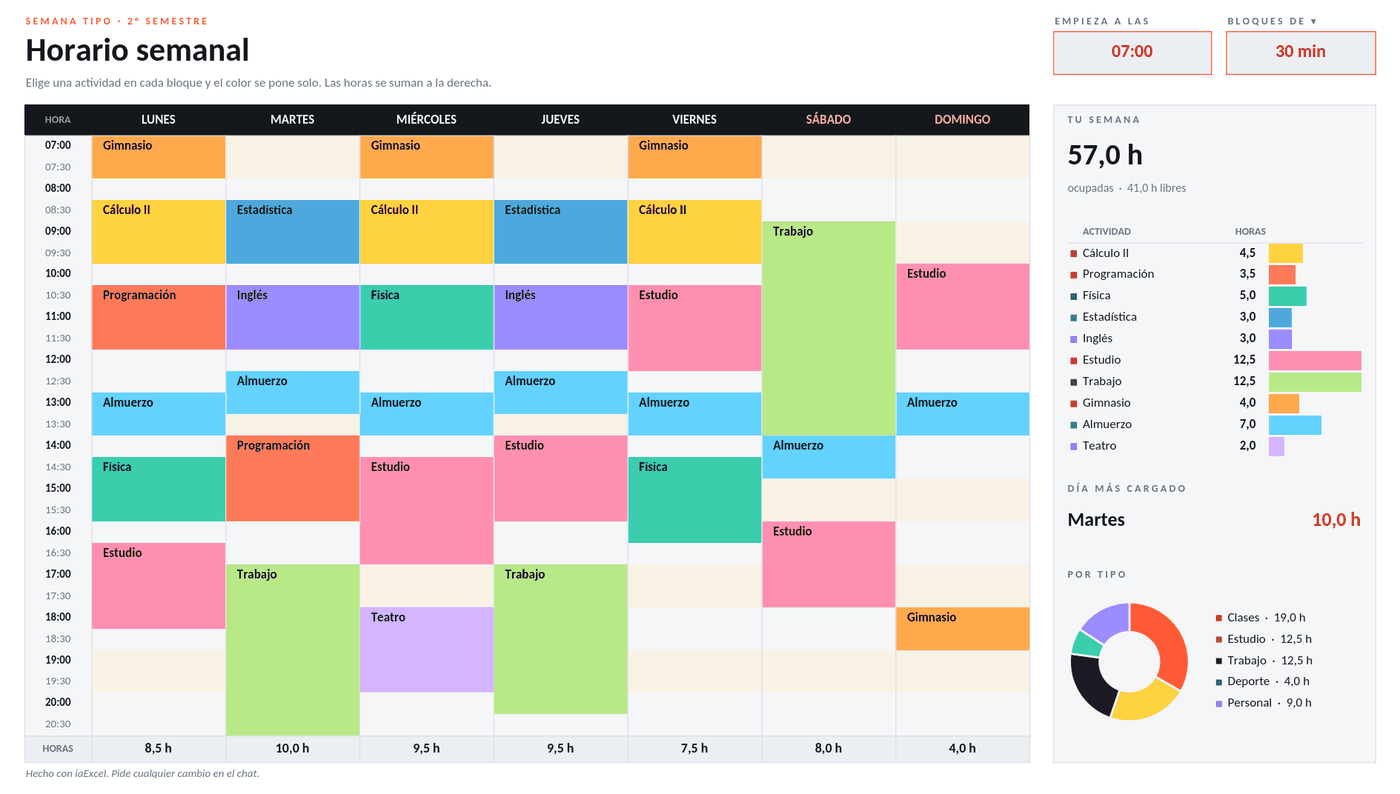 PlanningWeekly schedulePick an activity in each block and it takes its color. Change the start time or the block length and the grid rebuilds; next to it you see how many hours each thing gets.
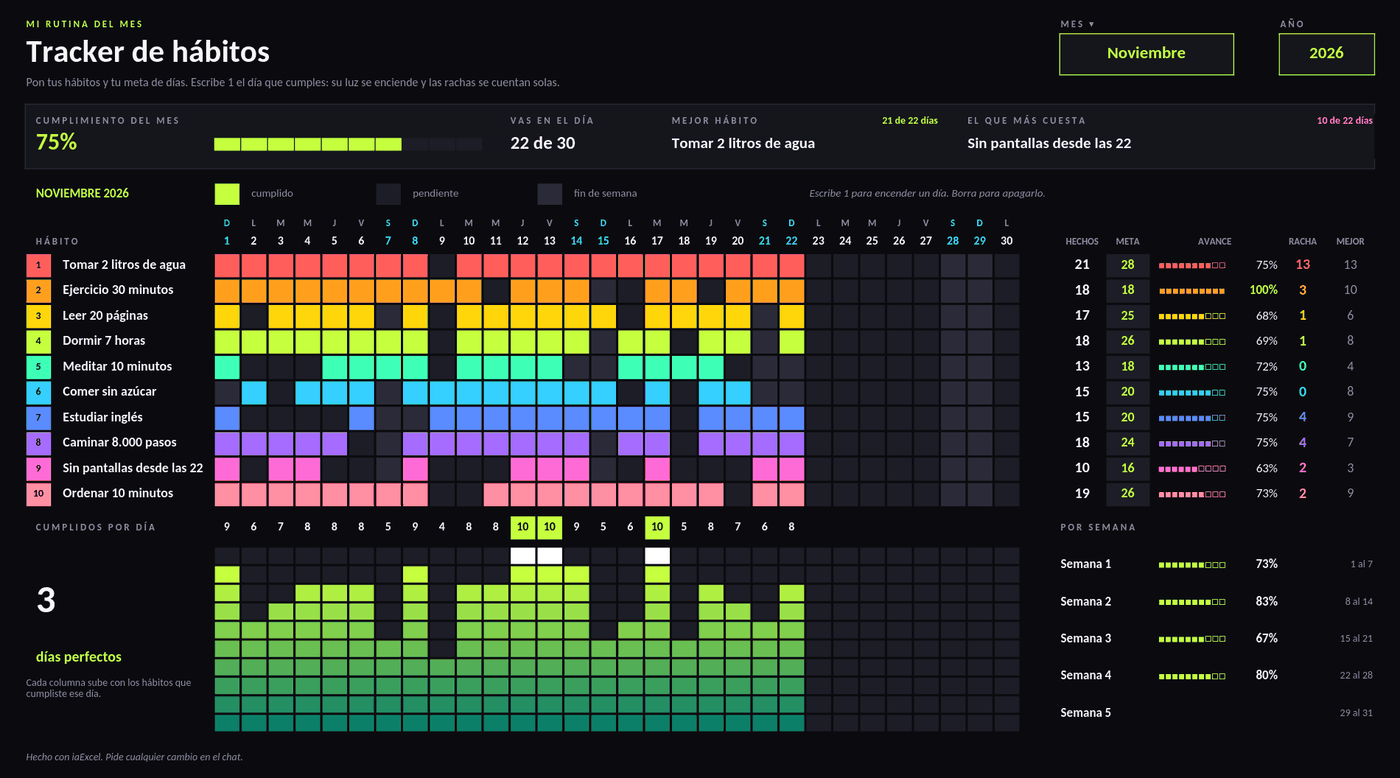 PlanningHabit trackerType a 1 for each day you did it and the board lights up. It keeps your current streak, your best streak, progress against each habit's goal and the month's completion.
Macros
Excel files with buttons that do the work: save each entry to its list or run a raffle with one click.
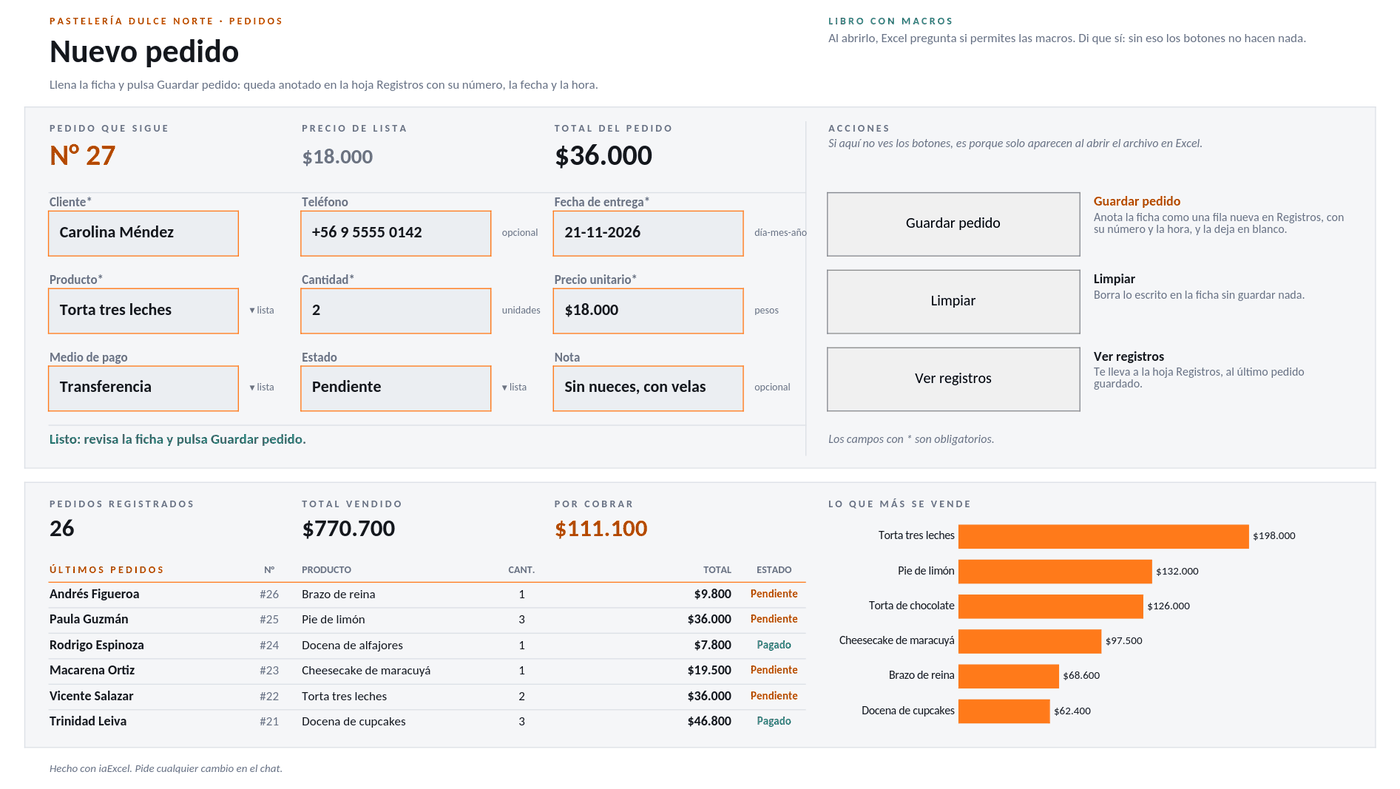 MacrosEntry form with logFill in the form, press Save and the macro adds the entry to its list with a number, date and time, and clears the fields for the next one. Next to it you see the totals and the latest entries.
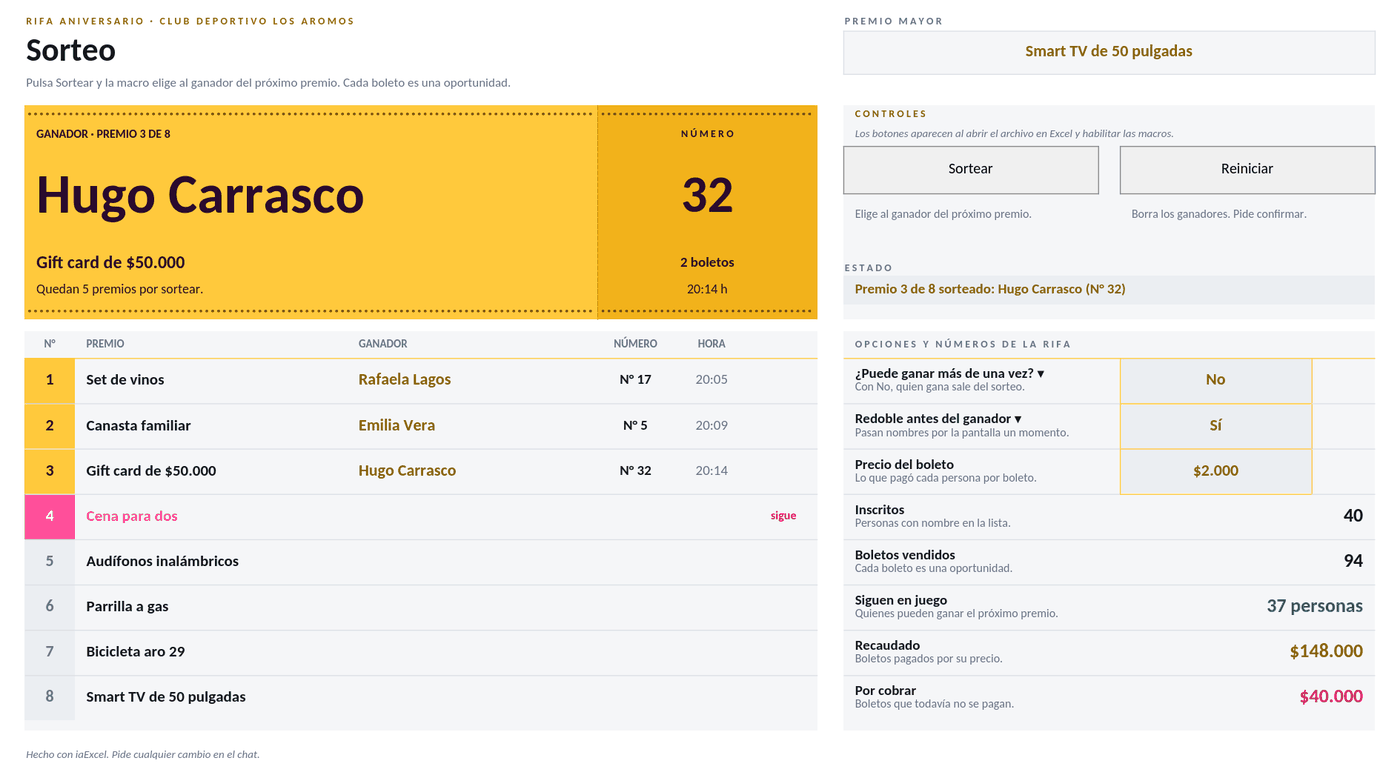 MacrosRaffle drawPress Draw and the macro picks the winner among those still in play, with one chance per ticket, and writes down the prize, ticket and time. Prizes fill in order and you can reset everything.
Need a workbook that isn't here?
Describe it in your own words and iaExcel builds it from scratch, with formulas and design.
Create my Excel with AI