Excel template · Finance
Loan calculator Excel template with amortization schedule
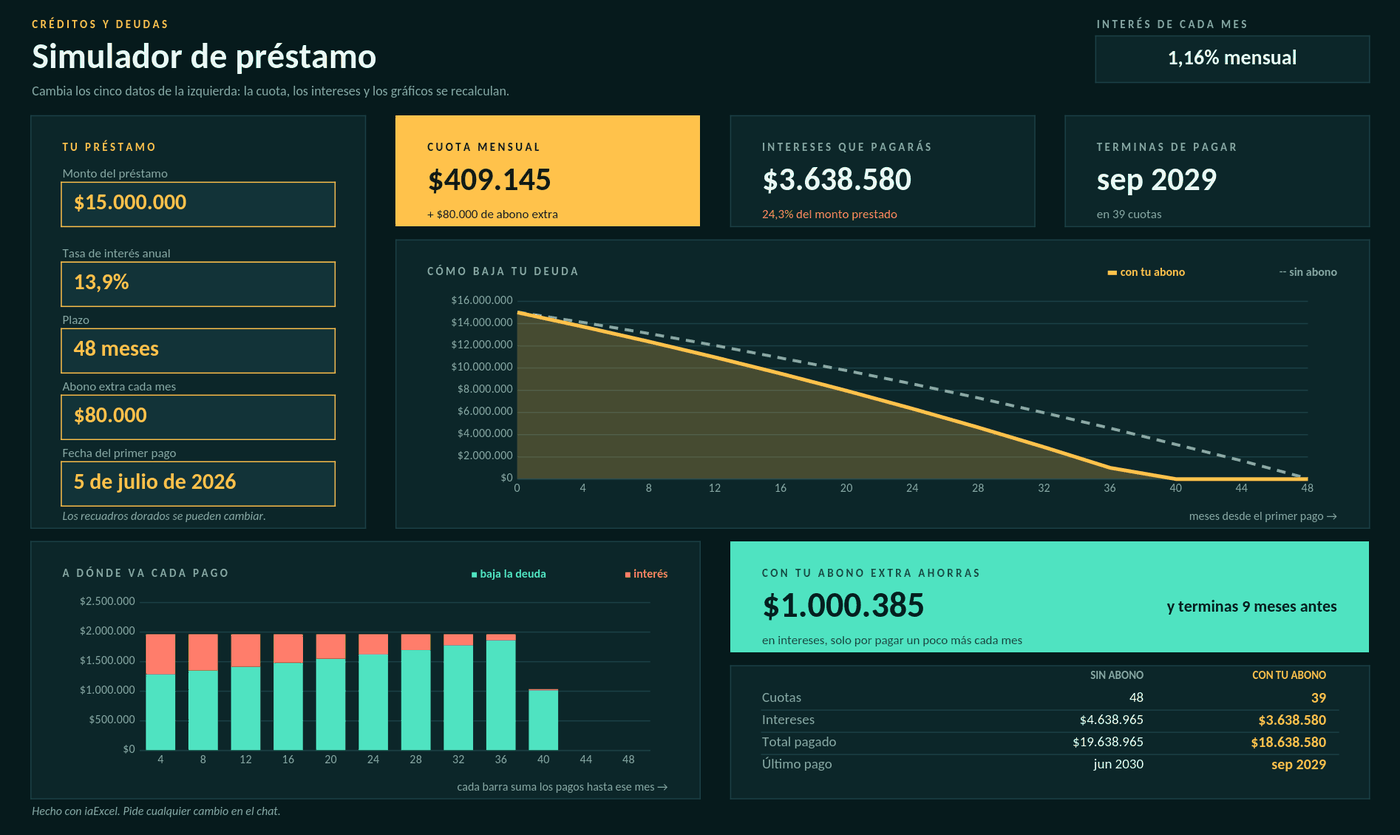
Change the amount, rate, term and extra payment, and it works out the installment, the interest, when you finish paying and how much you save by paying extra, with the full payment schedule.
For anyone about to take a loan, or already paying one, who wants to know what it really costs and what paying extra saves.
No card · Opening it uses no credits
What it solves
- Installment, total interest and the date you finish paying
- The effect of an extra payment: how much you save and how much sooner you finish
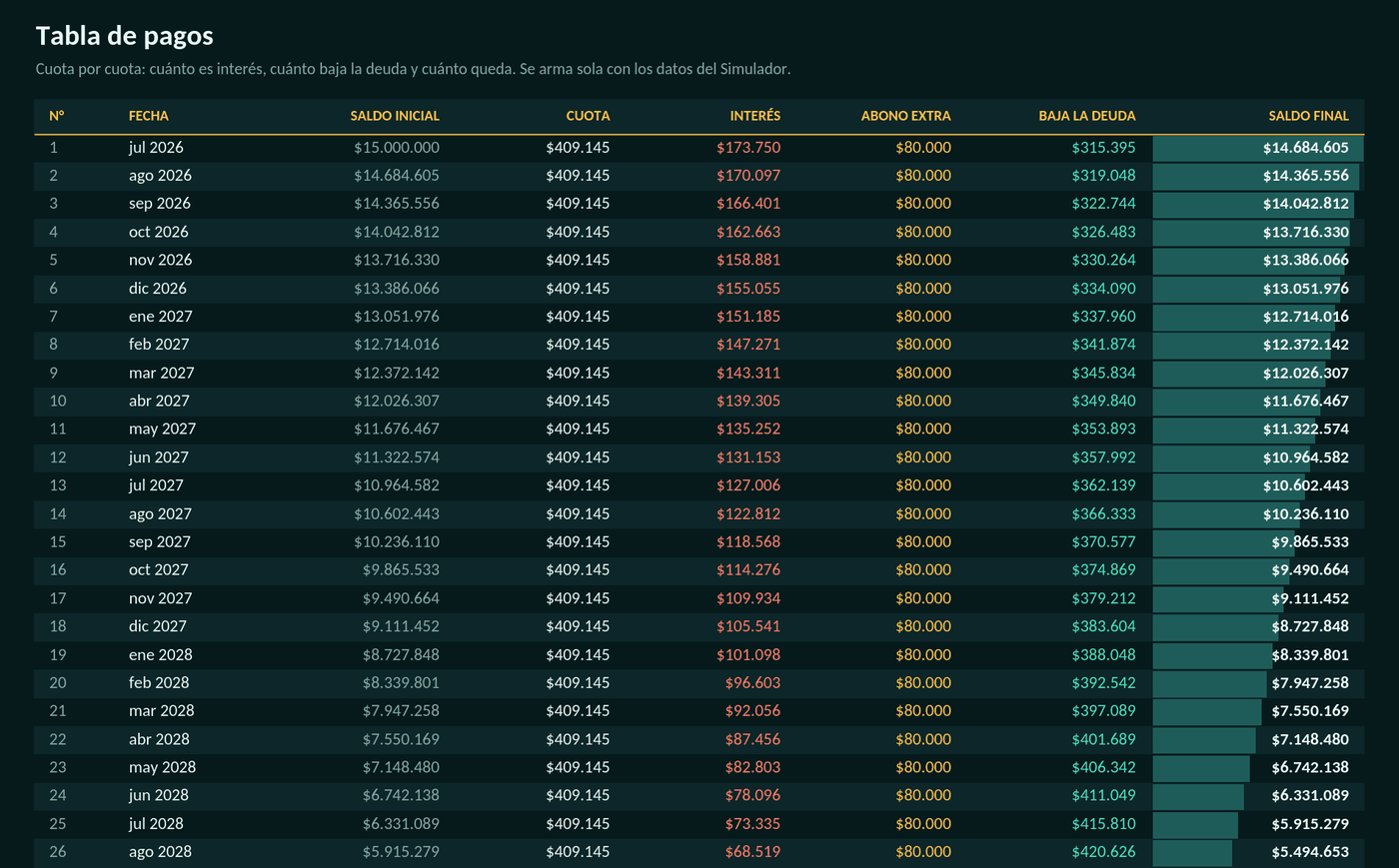
- The full payment schedule, installment by installment
- File
- Simulador de préstamo.xlsx
- Category
- Finance
- Sheet
- 2 sheets
What the file includes
Real captures of its sheets: what you see is the file you get, with 2 sheets.
In two styles
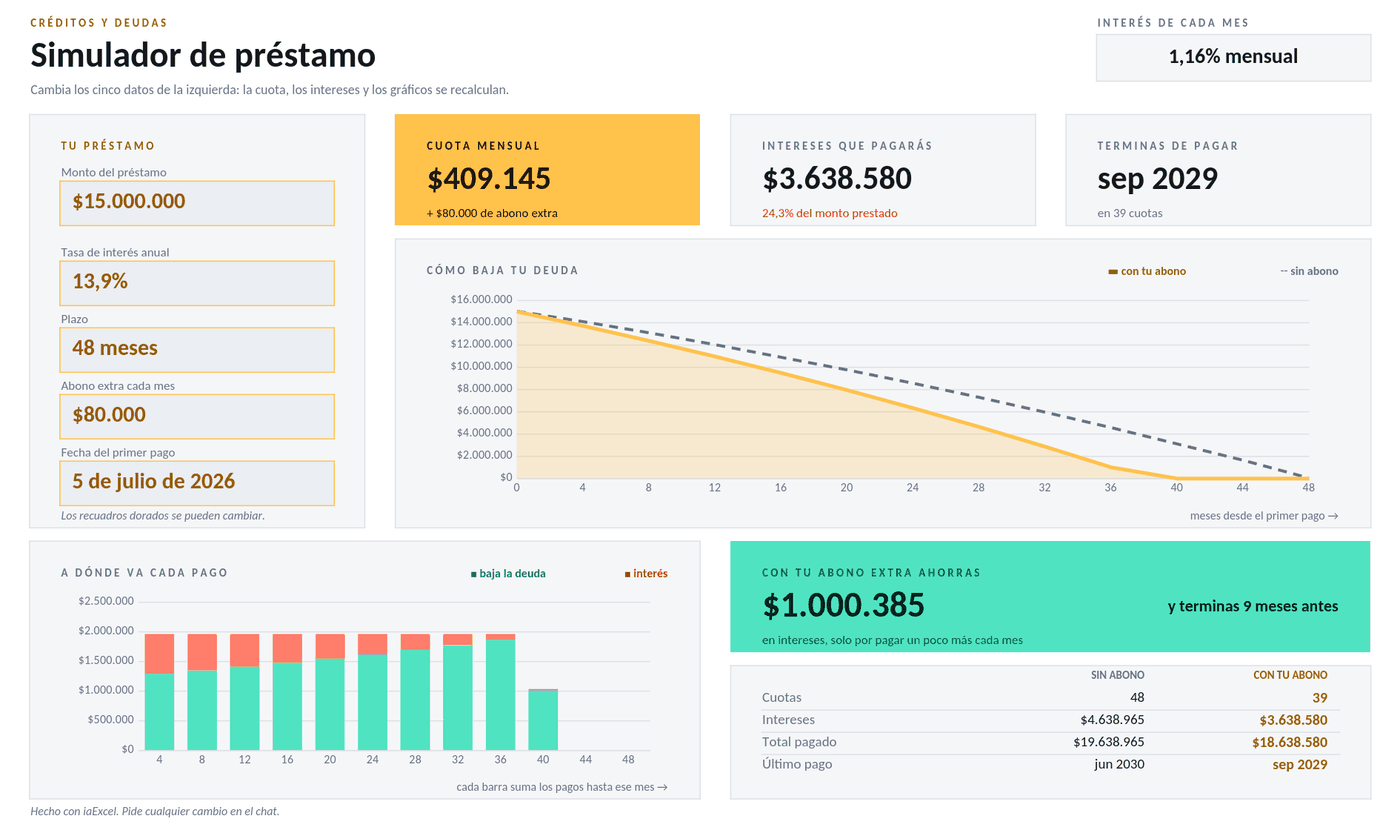
The same file, with the same formulas: in its own palette or on a white sheet.
How to use it
Use this template- 1
Open it in iaExcel
It opens as your own job, with all its sheets and formulas.
- 2
Adapt it to your case
Ask the AI to change categories, names or columns, or edit the cells yourself.
- 3
Download it in Excel
Take the file with you and keep working in Excel.
Frequently asked questions
Does it work for a mortgage or a personal loan?
It works for any fixed-installment loan: you enter the amount, the rate and the term. It is a simulation; the bank may add insurance and fees that are not in the calculation.
Is it free?
Creating the account is free and opening the template uses no credits. The free plan includes two downloads per cycle; paid plans have unlimited downloads.
Can I adapt it to my business?
Yes. Open it in iaExcel and ask for the change in your own words (“adapt it to my hardware store”, “add a seller column”): the AI edits the file and keeps the formulas and the design. You can also edit it yourself in Excel.
Which program opens it?
It is an Excel file (.xlsx) with regular formulas, dropdowns and conditional formatting. It opens in Microsoft Excel and you can view and edit it in iaExcel without installing anything.
More Excel templates
See all templates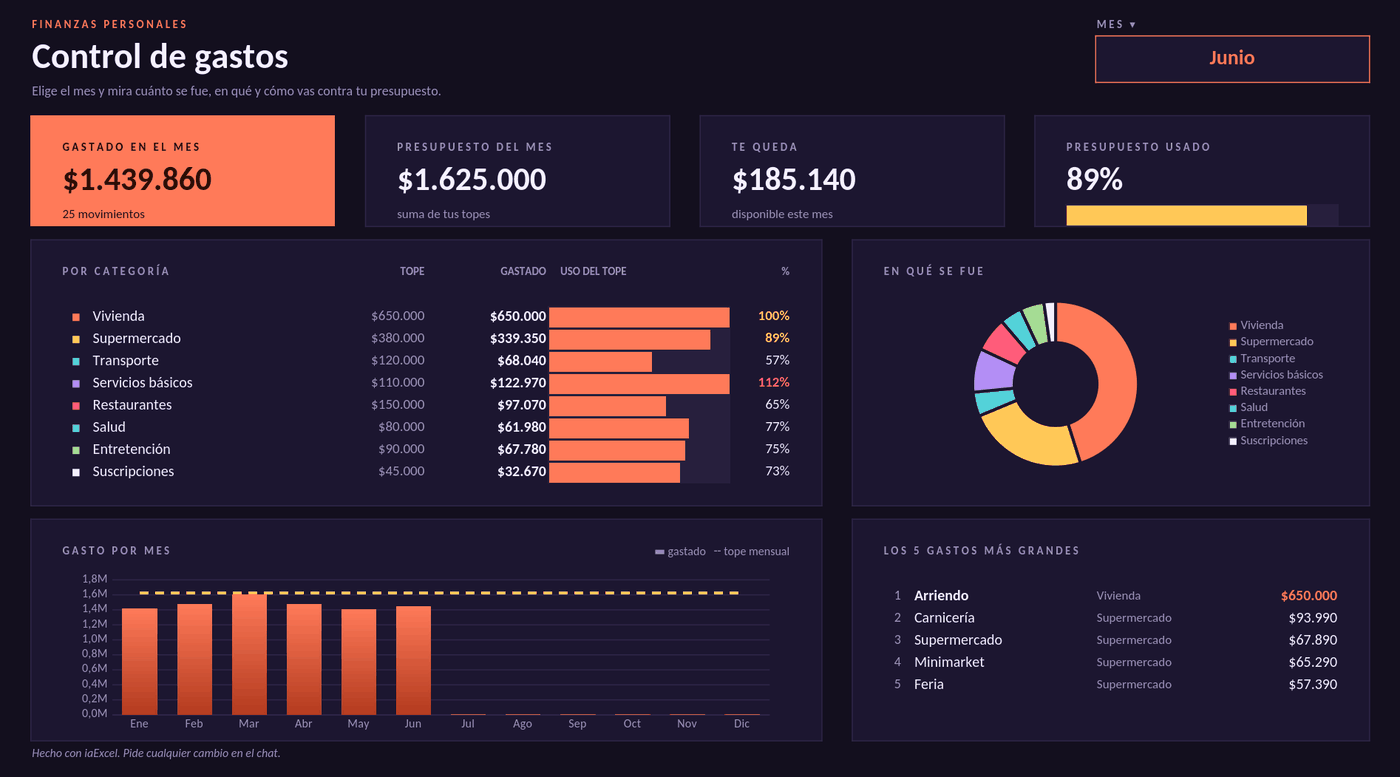 FinanceExpense trackerPick the month and see how much you spent, in which categories and how you are doing against your budget. The bars change color when you get close to the limit or go over it.
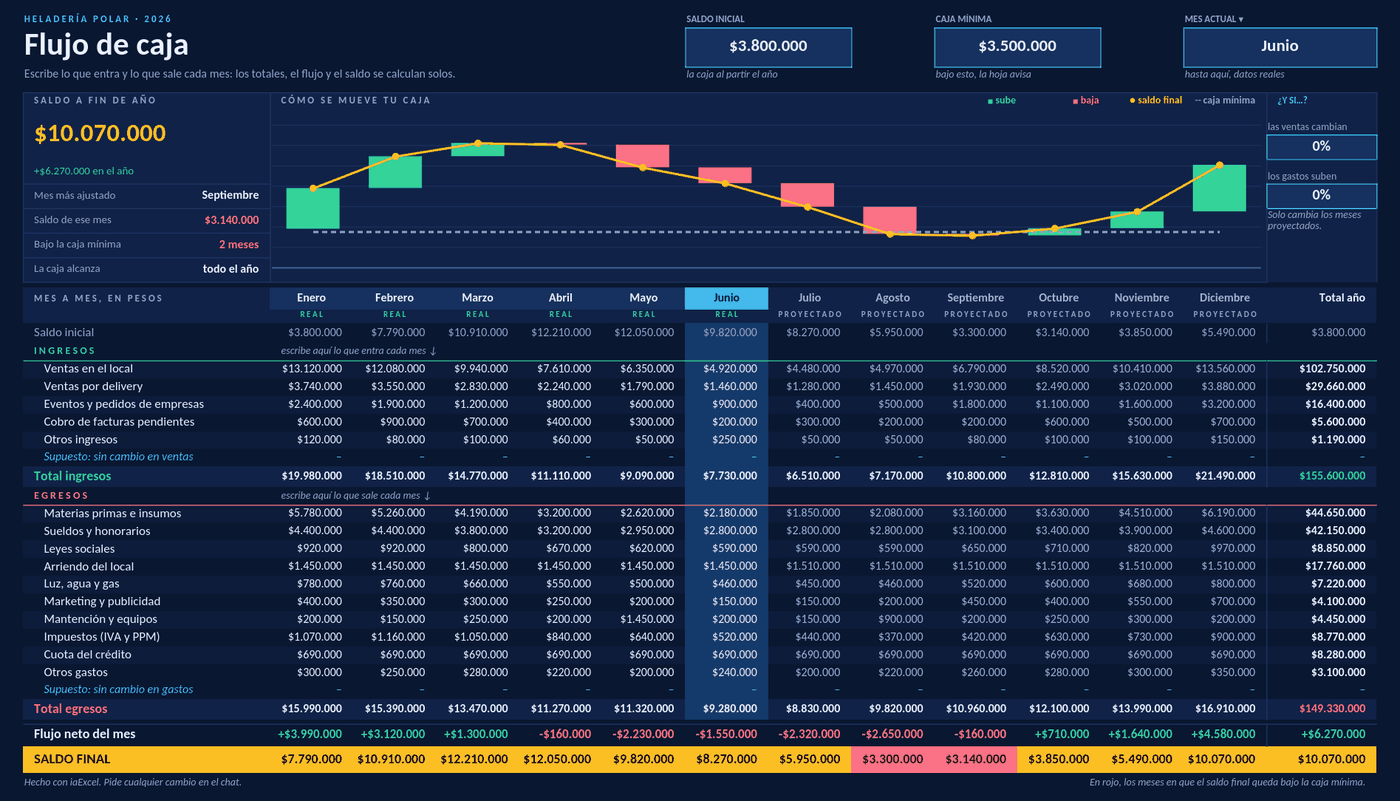 FinanceCash flowTwelve months on one sheet: enter income and expenses and it works out the net flow and the balance for each month. It flags the months below your minimum cash and tests what happens if sales drop.
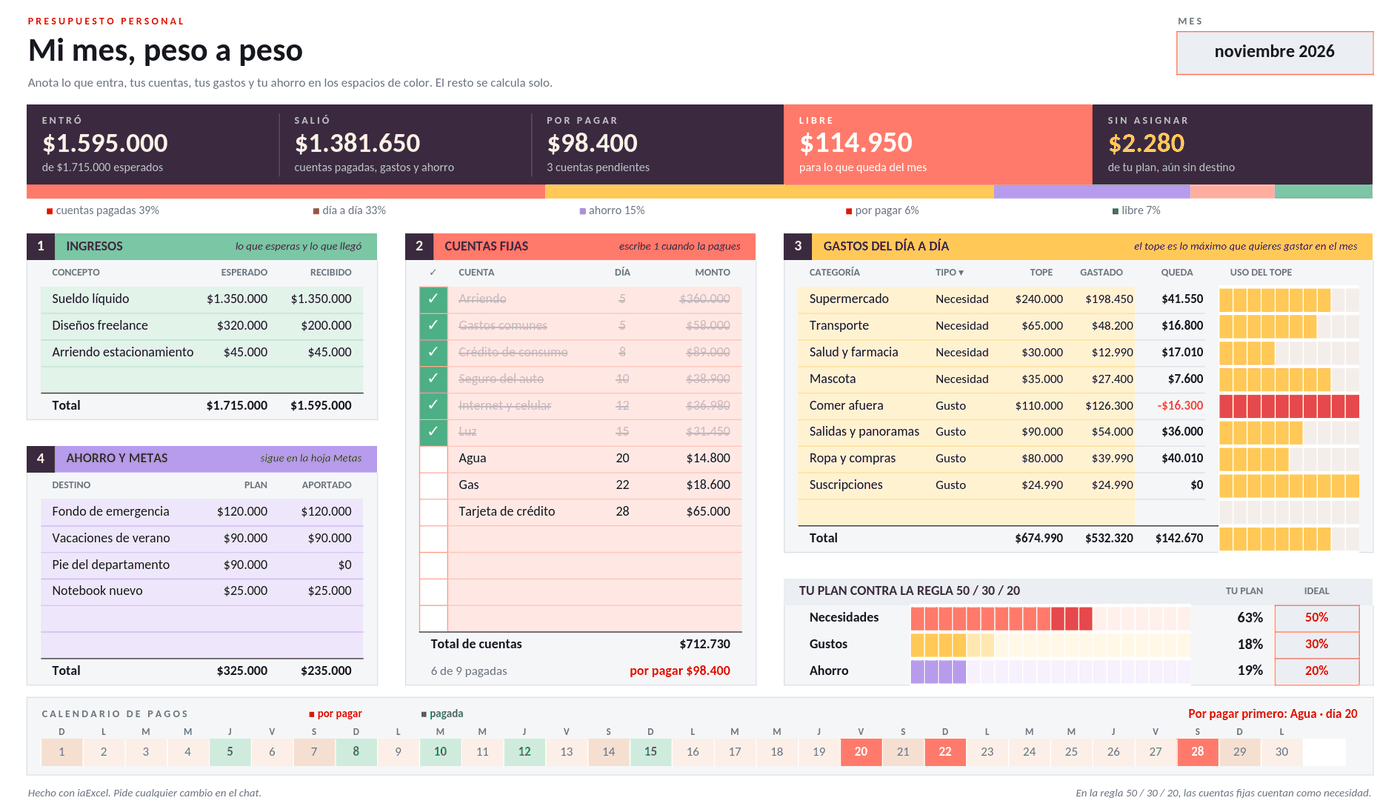 FinancePersonal budgetYour month on one page: income, fixed bills you tick off as paid, limits for day-to-day spending and savings. It tells you how much is free and how you are doing against the 50/30/20 rule.
Need a workbook that isn't here?
Describe it in your own words and iaExcel builds it from scratch, with formulas and design.
Create my Excel with AI