Live reports and dashboards
Sales, cash flow, inventory or project progress, with KPIs and charts that update when you change the Excel or the Google Sheet.
EXCEL TO WEB APP
Upload your Excel or bring it from Google Sheets and tell the AI what you need: a report that updates itself, a form that stores orders or a tool for your team. Publish it with a link, no code.
Free: 1 published page with “Made with iaExcel”. No card needed.
Result
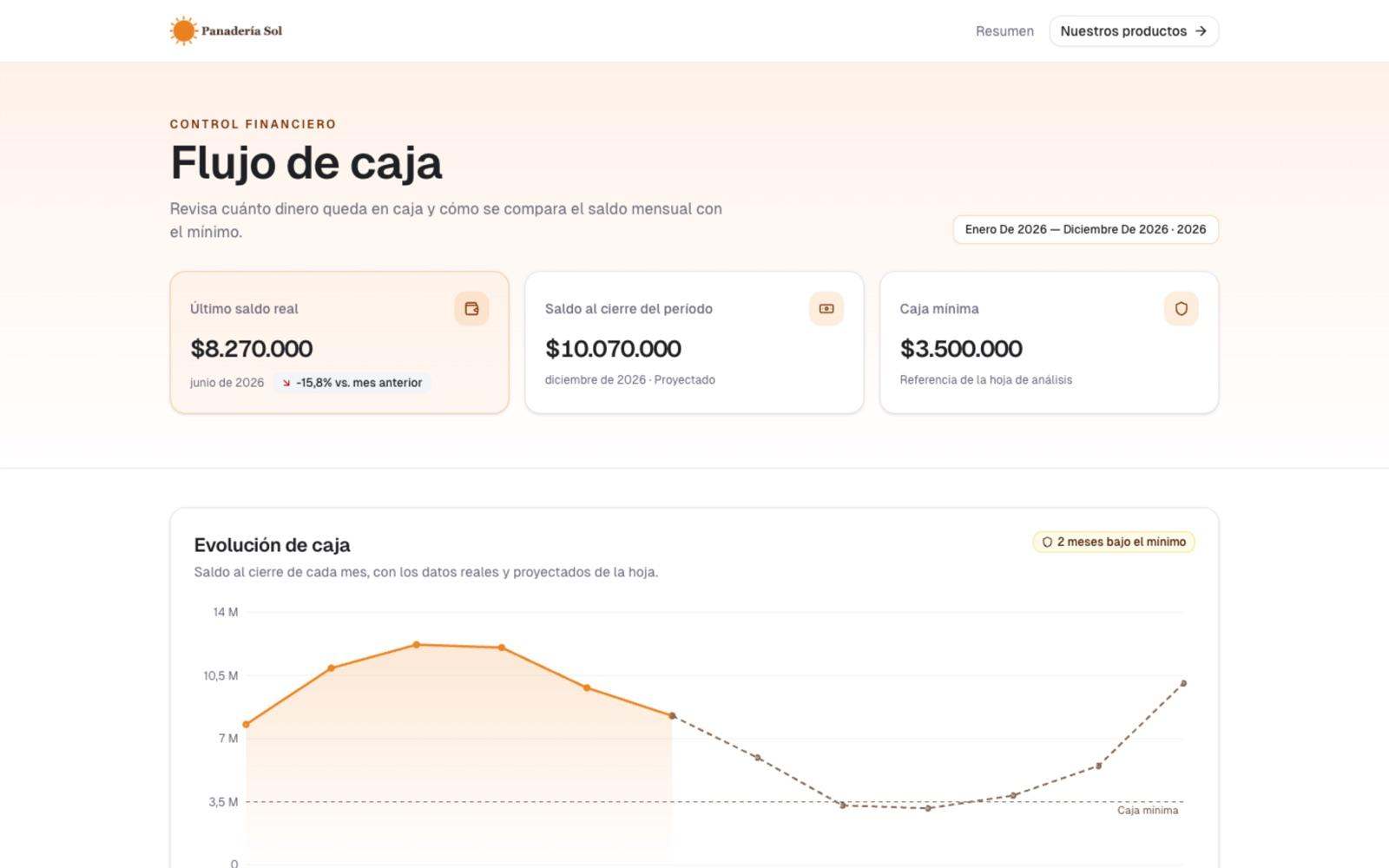
It reads your Excel sheets, uses your logo and colors, and when the Excel changes, the page changes with it.
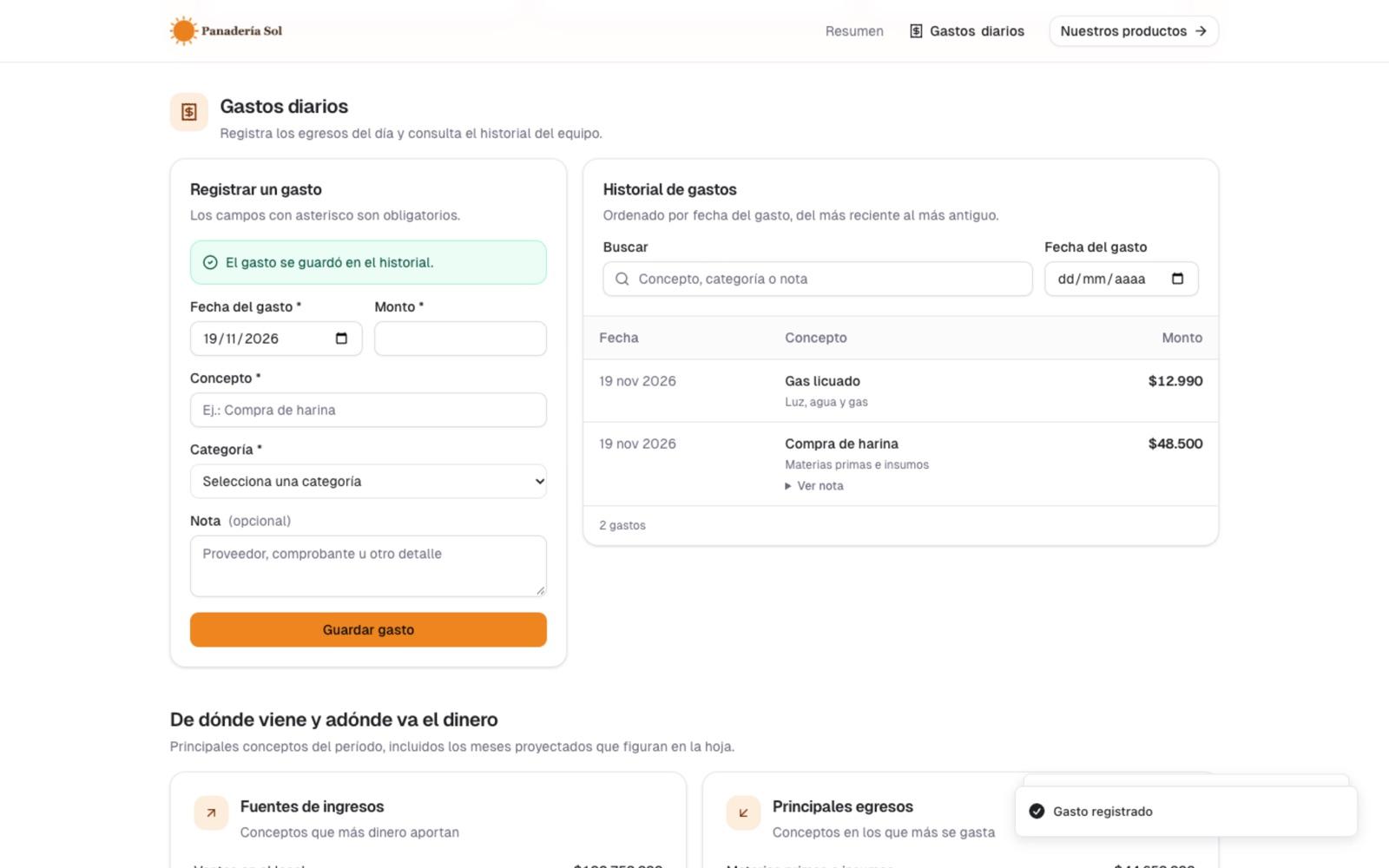
“Using my sales Excel, build a page with my logo, my prices and an expense log for my team.”
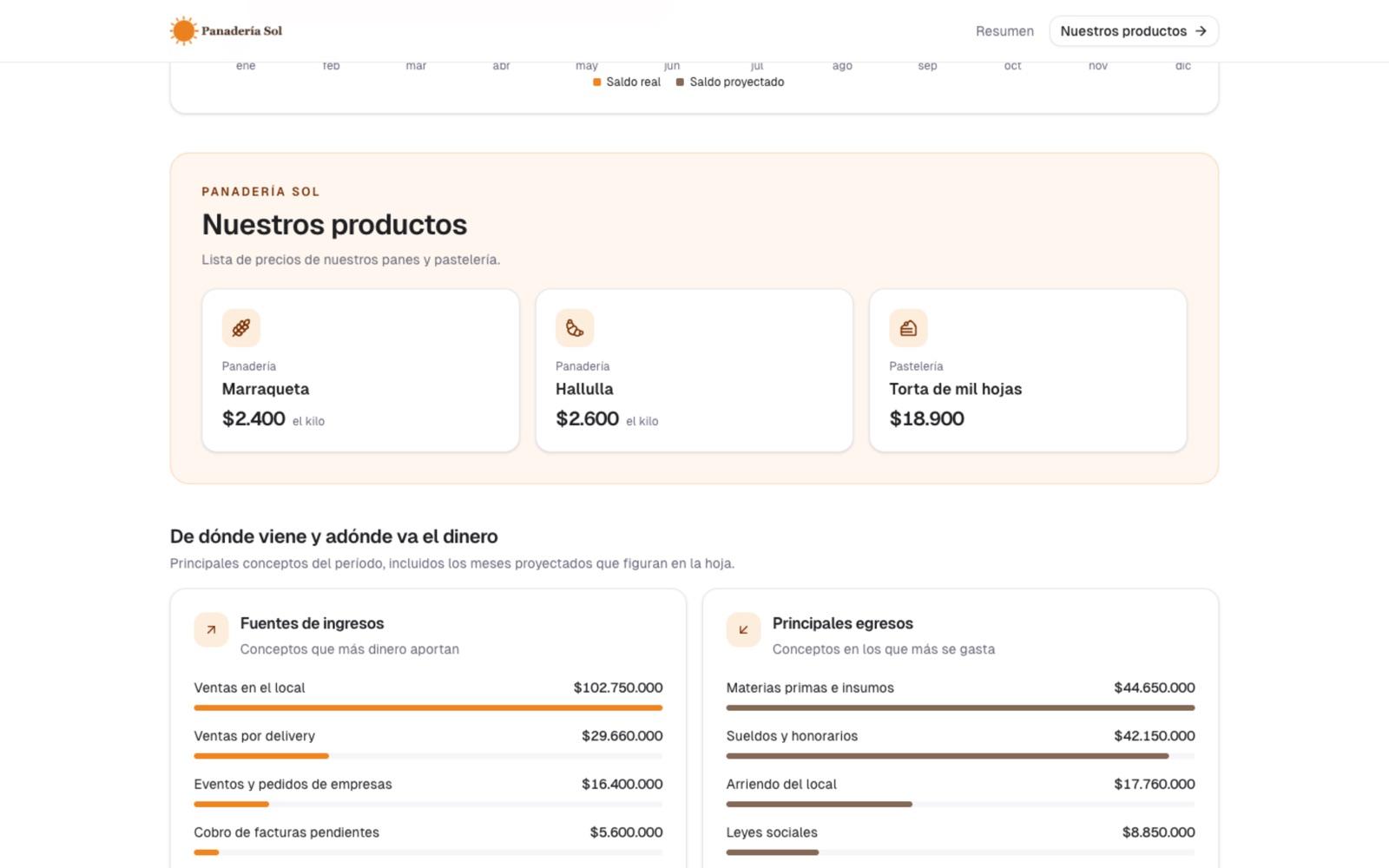
Three pages the AI built from the same Excel: a live report, a price list with the business branding and an expense log for the team that stores every entry in its own database.
Sales, cash flow, inventory or project progress, with KPIs and charts that update when you change the Excel or the Google Sheet.
Orders, bookings, surveys or requests. Every answer is stored in the page and, if you want, also as a new row in your Excel.
Quotes, expense logs, inventory or a simple CRM. With a password, your team creates, views and edits records from the link.
No coding and no database to set up: you start from the Excel you already use.
iaExcel opens it as a workspace and understands its sheets, columns and totals.
Or start from a template: dashboard, client report, form or team portal. You can attach your logo and documents.
Change text, colors and sections in the editor, or ask the AI for changes. Every version is saved.
With a link, with a password if you want, with a QR code or by email every week or every day.
No. Describe what you want in words or pick a template, and the AI writes the page from your Excel. Then you adjust it in the editor or by asking for changes.
A page shows your data, like a report or a dashboard. An app also stores information: forms, orders, quotes or records your team creates and edits from the link.
Yes. If the page comes from the workspace Excel, it picks up each new version you save. If you connect a Google Sheet, iaExcel checks it every hour or every day and brings in the changes.
Free gives you 1 published page with “Made with iaExcel” and up to 50 records. Basic adds 3 pages without the badge, password, team access and copy to your Excel; Premium, 10 pages with email delivery and who opened it; Plus, unlimited pages and daily email. Creating or changing the page with AI uses credits.
Only what the page shows. You can add a password, and for each table you decide what people with the link can do: nothing, submit, submit and see everything, or use it like your team.
Yes. Pick the sheet from your Google account and the page is built from its data; if you keep it connected, it stays up to date on its own.
Start free with 1,500 iaExcel credits every month and publish your first page. No card needed.
Create my page for free